



Social page (bio): all your links in one page
The Social page is a public linktree-style page (URL /bio/your-venue) with all your links: menu, reservations, Instagram, WhatsApp, map, reviews. You build it from an editor with a live preview, choosing colors, button style, and font. Available right away on every plan; the branding at the bottom depends on the plan (from Insegna it is white-label).
In brief
The Social page (/dashboard/bio, Diffusione group) is a public linktree-style page: a single address that gathers all your useful links — the menu, reservations, Instagram, WhatsApp, the map, reviews. It is made specifically for the "link in bio" field of Instagram and TikTok, where you can put a single link: instead of choosing, you put them all.
You build it from an editor with the preview alongside, choose colors, button style, and font, and when you are ready you publish it. It is available right away, on every plan.
What it is for
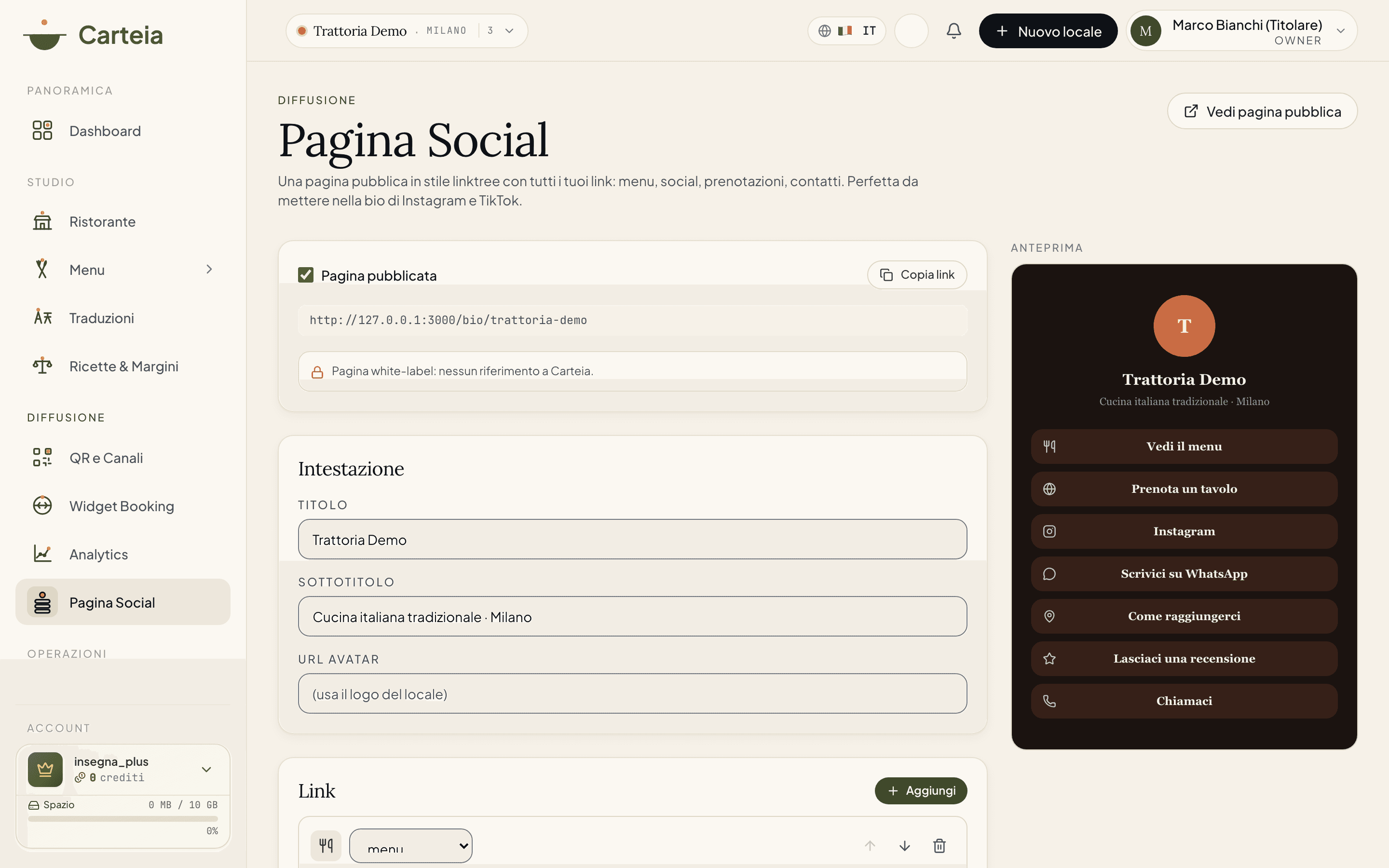
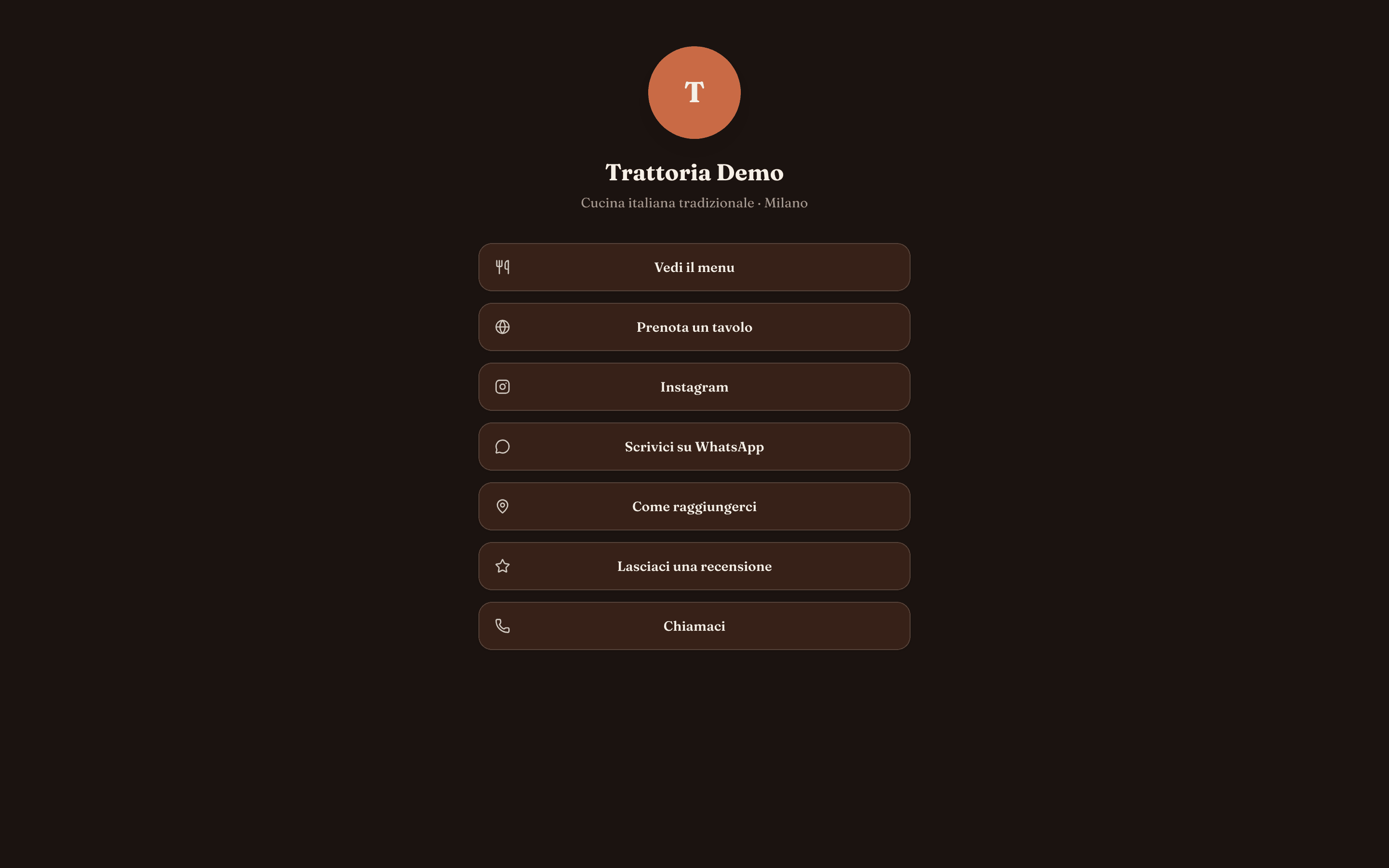
On social media you have a single clickable link in your bio. The Social page solves the problem: the customer taps that single link and finds a tidy page with everything that matters — Vedi il menu, Prenota un tavolo, Scrivici su WhatsApp, Come raggiungerci, Lasciaci una recensione. No more "the link is in the comments" or profiles full of addresses that keep changing.
How it is composed
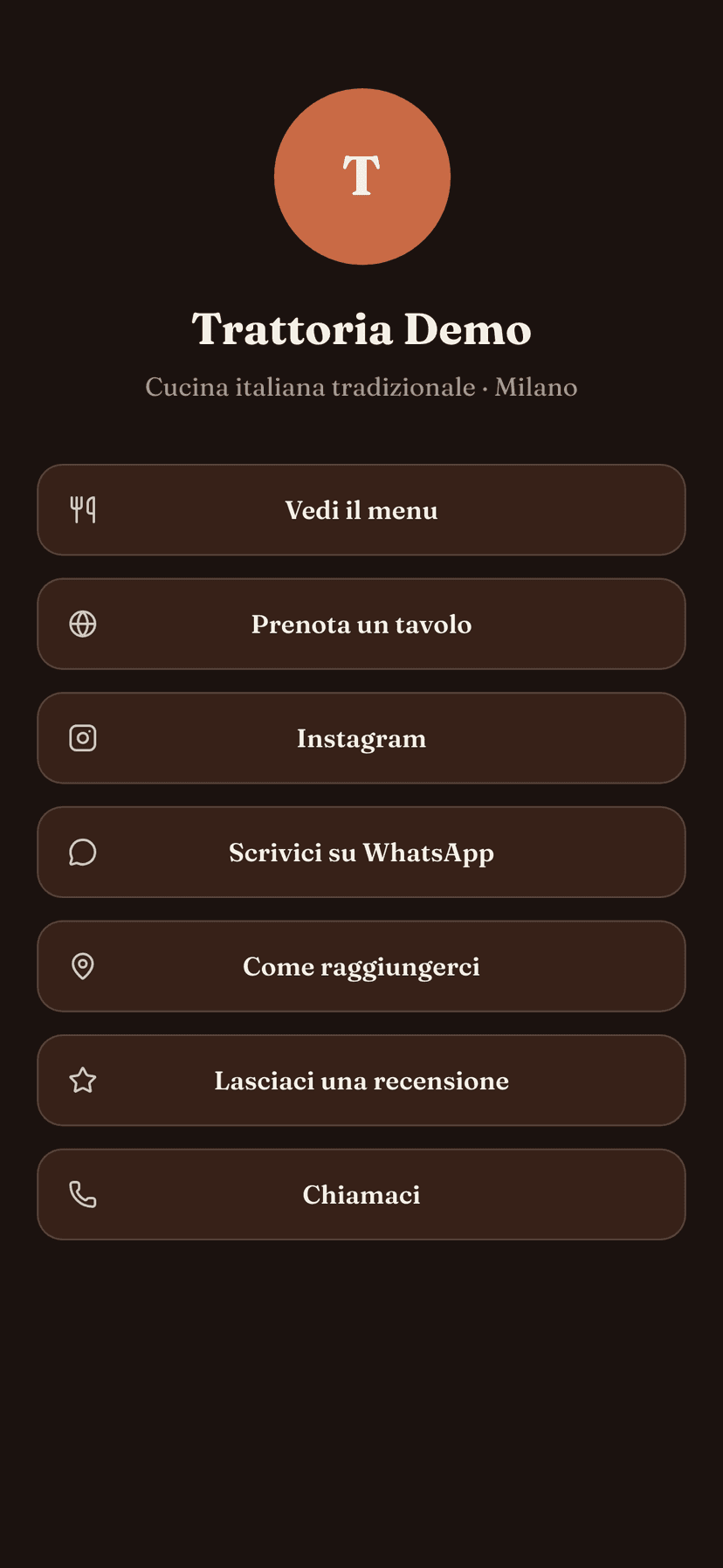
The editor is divided into a few clear blocks.
Address and publishing
At the top you'll find the public address of the page (something like carteia.app/bio/your-venue) with the Copia link button, to paste into your social bio. The Pagina pubblicata toggle decides whether the page is online: while it is off, you are working in draft.
Header
Title, subtitle, and avatar. If you leave them empty, the page automatically uses the venue name, the cuisine, and the city, and the logo you have already uploaded: you start with something sensible already.
Links
The heart of the page. With Aggiungi you create a link; for each one you choose the type (menu, website, Instagram, Facebook, TikTok, YouTube, WhatsApp, map, phone, email, reviews, or custom), write a label and the address. The up/down arrows reorder the links: at the top, the ones you want to show first.
Appearance
Choose the background color and the accent color (which colors the buttons), the button style — Pieno, Tenue, Bordo, or Squadrato — and the font. The preview on the right updates with every change.
Publish the page with the
Pagina pubblicatatoggle.Compose the header and links, reordering them as you prefer.
Customize colors, buttons, and font while watching the preview.
Save the page and copy the link with
Copia link.Paste the link into the bio of Instagram, TikTok, Google, and wherever you want.
Branding, plan by plan
The page is available on every plan: what changes is the signature at the bottom.
| Plan | What appears |
|---|---|
| Assaggio | The Carteia brand stays visible on the page. |
| Osteria, Bistro, Ristorante | The page shows your logo, with a small "Made with Carteia.app" signature at the bottom. |
| Insegna, Insegna Plus | White-label page: no reference to Carteia. |
Why it is worth it
- One link, everything inside. You solve the "link in bio" limit of social media without paying for external tools: it is already in your plan.
- Always up to date. You change a number, add a social account, move a button: the page is instantly aligned, with no need to redo any graphics.
- Consistent with your brand. Colors, fonts, and button style in line with the venue and with the menu theme.
- Safe for your customers. Only web, phone, and email addresses are allowed: no dangerous links, with a check enforced at the database level.
Limits by plan
Related features
- Menu theme — the look of the menu, to pair with the Social page.
- QR codes and channels — another way to bring customers to your content.
- Insights and statistics — where the visits come from (including QR scans).
- Plans and credits — what each plan includes.
Frequently Asked Questions
- From which plan is the Social page available?
- Right away, on every plan, including Assaggio. What changes with the plan is only the branding at the bottom of the page: on Assaggio the Carteia brand stays visible, from Osteria you show your logo with a small 'Made with Carteia.app' signature, and from Insegna the page is fully white-label.
- What is the address of my page?
- It is /bio/ followed by your venue's slug (for example carteia.app/bio/your-trattoria). You'll find it at the top of the editor with the 'Copia link' button, ready to paste into your social bio.
- What types of links can I add?
- Menu, website, Instagram, Facebook, TikTok, YouTube, WhatsApp, map, phone, email, reviews, and custom links. Each link has a label and an address; you can reorder them with a tap.
- Are the links safe?
- Yes. Only web addresses (http/https), phone numbers (tel:), and emails (mailto:) are allowed: the check is enforced at the database level, not just in the editor.
Version history
v1.0.02026-06-14— Prima pubblicazione: editor linktree (intestazione, link tipizzati, aspetto), anteprima live, pubblicazione, branding a livelli per piano.