



Food Cost: recipes, margins and analysis
Module from the Ristorante plan. Build dish recipes by choosing ingredients and quantities: calculating cost and margin is free. Five views: Dishes, Ingredients, Analysis, Wine, Beer. Printable recipe sheets for the kitchen are included; period PDF reports and file exports cost 1 credit each. Dishes without a recipe stay in the menu as normal.
Why it's a game changer
You sell loads of one dish and you're happy. Then you do the math and find you barely make anything on it, while the one few people order is a goldmine. Without the numbers, you're flying blind.
Food cost is the lens that separates a menu that sells from a menu that's actually profitable. Carteia calculates it for every recipe, shows you each dish's margin, and tells you where it pays to act: which to push, which to tweak, which to drop.
You'll find it under Recipes & Margins, split into five views: Dishes, Ingredients, Analysis, Wine and Beer.
Availability
The module starts on the Ristorante plan. It's completely optional: if you don't set up a recipe, the dish stays in the menu as always.
The four numbers you always see
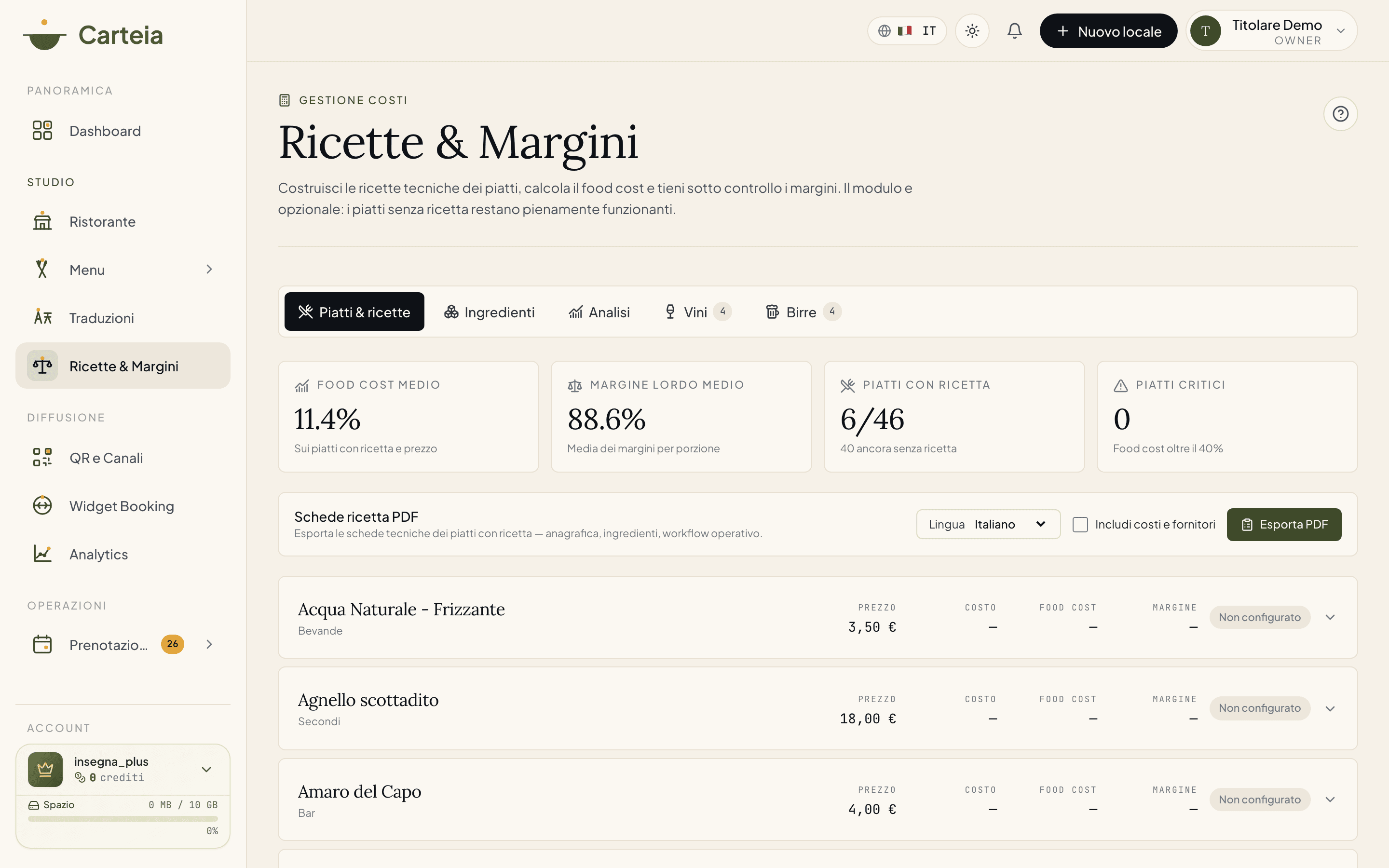
At the top of the Dishes view you find four summary numbers:
- Average food cost — how much, as a percentage, a dish with a recipe costs you. The warning threshold is 40%.
- Average gross margin — the average margin per portion across calculated dishes.
- Dishes with a recipe — how many you've configured out of the total (e.g. 12/46).
- Critical dishes — how many exceed 40% food cost: the candidates to review.
They're live numbers: add or change an ingredient and they move right away.
1. Dishes — the heart of the module
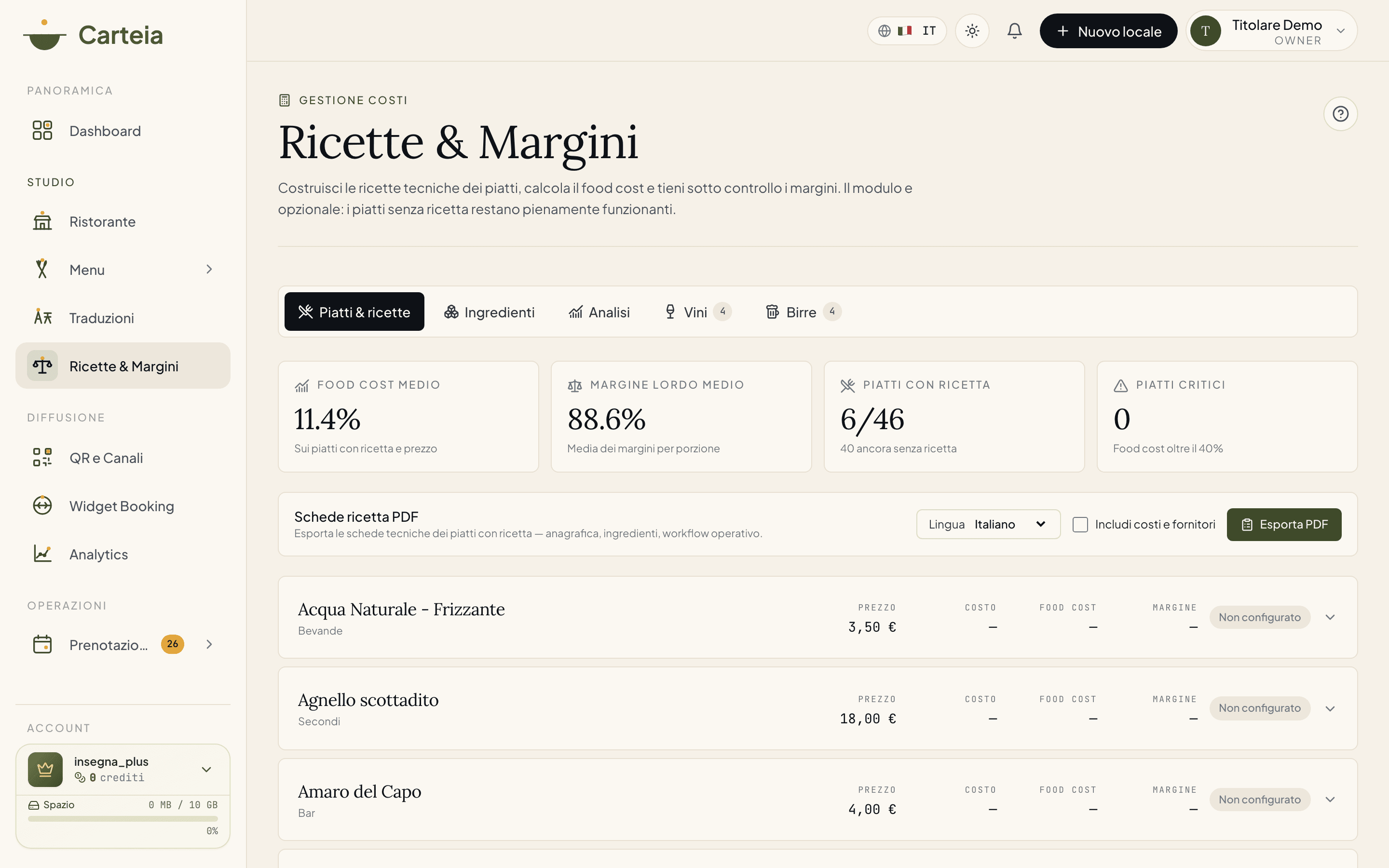
The first view is the list of dishes, each with price, raw material cost, food cost % and margin. Configured dishes carry a coloured label (green, amber or red); those without a recipe are set up in one click.
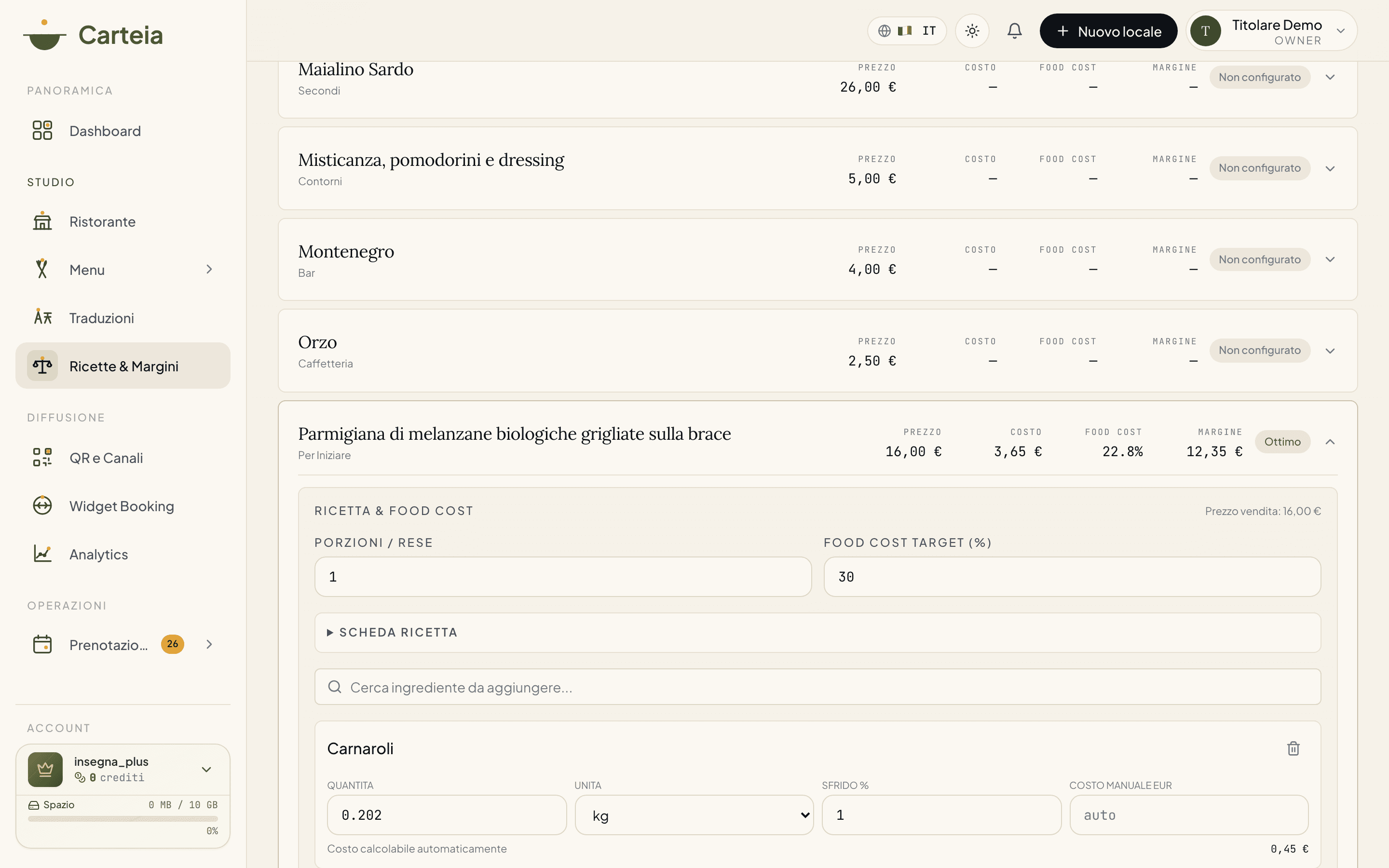
You click a dish and its recipe opens: you set the portions, the food cost you're aiming for, and pick ingredients from your pantry with the quantity per portion. Carteia calculates the cost and shows you the margin shifting as you touch ingredients and price. Calculating a recipe is free (0 credits).
2. Ingredients — your shared pantry
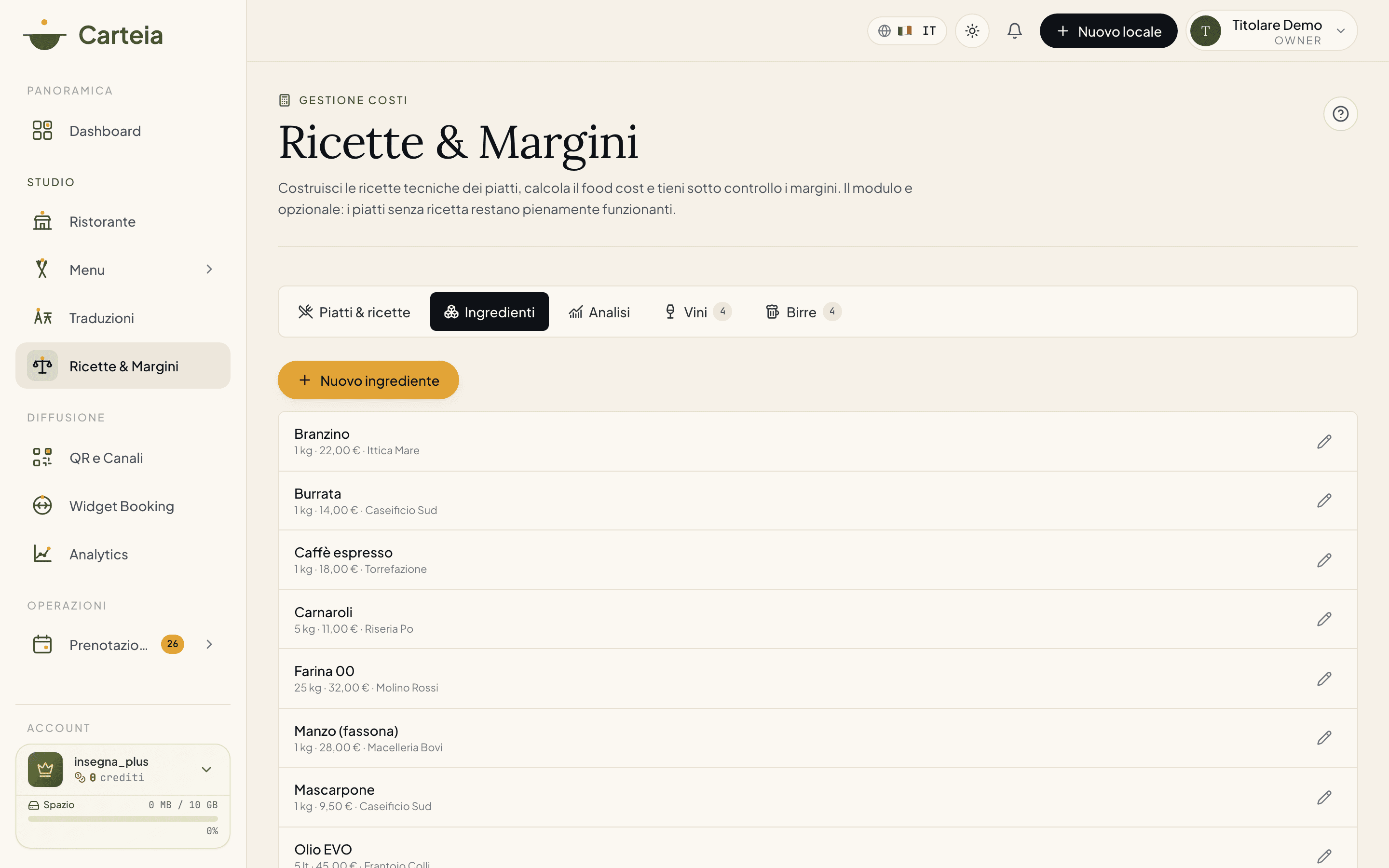
The Ingredients view is the virtual store: you enter each raw material once and reuse it across all recipes. For each one you set:
- Name, category and supplier.
- Purchase unit and quantity + price (e.g. 1 kg at €8.50).
- Waste / trim (%) — how much you throw away (e.g. bone-in meat, fish to clean): this makes the cost realistic.
- Density (g/ml) — only needed if you buy by weight but use by volume, or vice versa.
- Shelf life (days) — how long it keeps, useful for management.
In practice:
- Enter the ingredients you use across multiple dishes first: the database grows fast and every new recipe becomes a matter of "putting it together".
- When a new price list arrives from the supplier, you update the price and every affected recipe recalculates by itself.
- Set the waste for raw materials: food cost gets much closer to reality.
3. Analysis — where to look to make more
The last view on dishes is the one you open once a week to decide your moves:
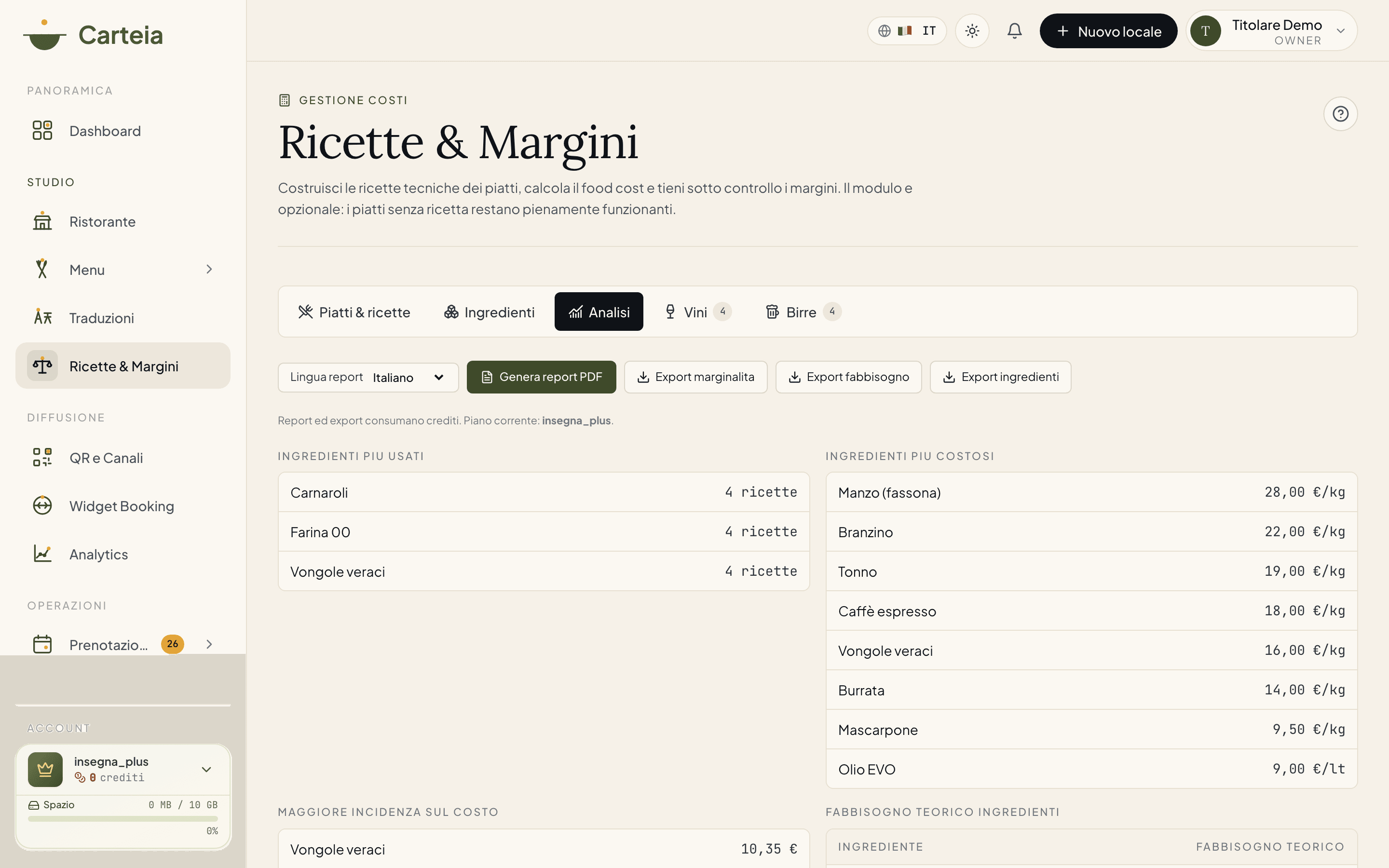
What you find:
- Most used ingredients — those in the most recipes.
- Most costly ingredients — highest cost per unit.
- Highest incidence on cost — which raw materials weigh most on your total food cost.
- Theoretical demand — how much of each ingredient you need, useful for orders.
From here you also generate the period PDF report (Без дополнительной платы) and the file export of margins, demand or ingredients (Без дополнительной платы per export). Pick the report language first.
4 and 5. Wine and Beer — the cellar has a margin too
The Wine and Beer views apply the same reasoning as food, but to drinks. For each item and each format (bottle, glass, draught) you compare purchase cost with sale price and see:
- Items in the catalogue and number of formats.
- Average food cost of the category.
- Maximum margin (the best format for each item).
- Incomplete formats — those missing a price or cost, to complete.
Formats without a price or cost are highlighted, so you know right away what to fix. Here too you can generate a dedicated PDF report (Без дополнительной платы).
Credit costs — summary
| Operation | Cost |
|---|---|
| Calculating a recipe | Без дополнительной платы |
| Recipe sheets PDF (for the kitchen) | Без дополнительной платы |
| Period PDF report (Analysis, Wine, Beer) | Без дополнительной платы |
| File export (margins, demand, ingredients) | Без дополнительной платы |
The credits included in your plan cover normal use. If you run out, you buy a credit pack from Account → Buy credits.
Good to know
- Dishes without a recipe stay in the public menu: the module adds, it doesn't remove.
- Food cost only considers the raw material. Energy, staff and other costs stay out.
- Changing an ingredient's price affects all the recipes that use it: take a look before saving.
Next steps
- Insights and Analytics — the menu matrix reads the margins you set here
- AI menu import — fill the menu fast, then do the recipes
- Plans and credits — included credits and packs
Frequently Asked Questions
- Do I really have to enter every ingredient?
- Only the first time. After that ingredients are reused across all recipes: once you're up to speed, adding a new dish takes minutes.
- What happens to dishes without a recipe?
- They stay visible and orderable in the menu, exactly as before. The module is extra: in the food cost column you'll simply see the dish isn't configured yet.
- Does the margin update by itself?
- Yes. Change an ingredient's price and every recipe that uses it recalculates. You see it right away.
- How much does calculating a recipe cost?
- Nothing: the calculation is free (0 credits). Only the period PDF report and the file export cost 1 credit each. The recipe sheets for the kitchen are included.
- Can I analyse wine and beer too?
- Yes. The Wine and Beer views compare purchase cost and sale price for each format (bottle, glass, draught) and show you margin and food cost.
Version history
v3.0.02026-05-29— Fixed the entry plan (Ristorante, not Bistro) and the real credit costs (report 1, export 1; calculation free; recipe sheets included). Added the Wine and Beer views (the module has 5 views, not 3). Fixed the real ingredient fields (waste, density, shelf life). Removed monthly calculation quotas not present in the product.v2.0.02026-05-20— Added the Dishes, Ingredients, Analysis views.v1.0.02025-11-10— First publication.