



Multi-location: all your venues from one account
With a single account you manage several restaurants and switch between them with the venue picker on top. Included venues depend on the plan: Assaggio, Osteria, Bistro and Ristorante 1; Insegna 2; Insegna Plus 5. To add a venue beyond the plan limit there's the Extra venue add-on at €19/month (from Bistro up); alternatively you move to a higher plan. Each venue has its own menu and branding, and team members can be limited to a single venue.
Why it pays off
You've opened your second venue, or you run five. The last thing you want is a different account for each, with different passwords and numbers to add up by hand in a spreadsheet at night.
With Carteia you manage all your venues from the same account. You switch between them with a menu on top, each venue has its own menu and identity, and your team members only see the venue they need to work on. No confusion, no mistakes between one venue and another.
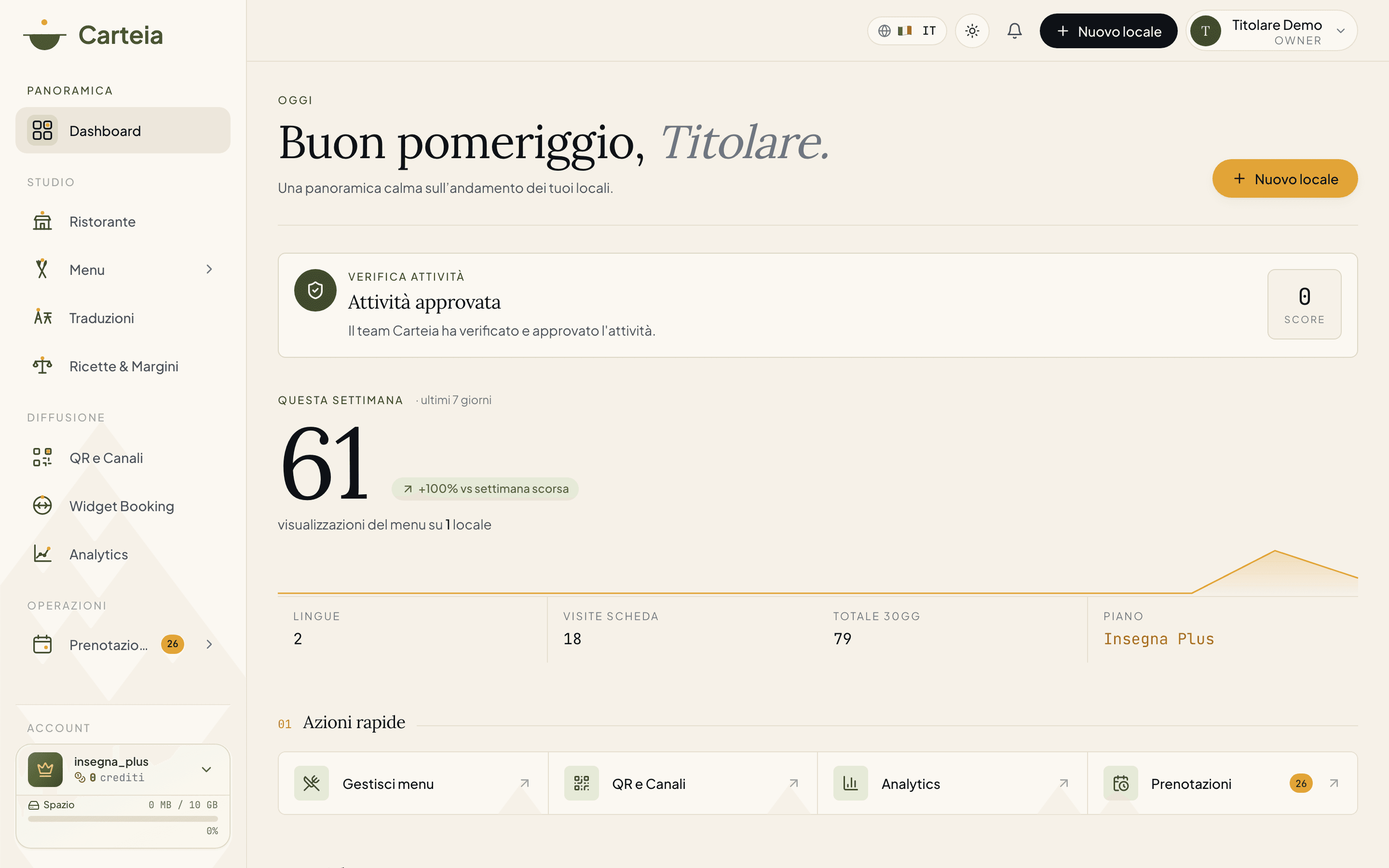
How many venues you have included
Included venues depend on the plan:
| Plan | Venues included | Extra venues |
|---|---|---|
| Assaggio | 1 | Not available |
| Osteria | 1 | Not available |
| Bistro | 1 | Extra venue add-on €19/month |
| Ristorante | 1 | Extra venue add-on €19/month |
| Insegna | 2 | Extra venue add-on €19/month |
| Insegna Plus | 5 | Extra venue add-on €19/month |
Adding a venue
Open the menu on top and choose
New venue(orDashboard → Venues → New).Fill in the data: name, VAT number (if different from the main one), address, city, contacts. The more data you enter, the sooner the venue is verified.
Carteia starts the venue's automatic verification and automatically translates the name and description into your menu's languages.
Configure the menu of the new venue: start from scratch or duplicate an existing venue's menu and then adapt it.
Publish when it's ready.
If you try to create a venue beyond the limit, Carteia tells you and offers the two routes: activate the Extra venue add-on or move to a plan with more included venues.
What you can do with several venues
Switch venue on the fly
The picker on top is present on the operational pages (reservations, rooms, floor plan, and so on): you choose the venue and the whole context updates to it.
One menu per venue (and the quick duplicate)
Each venue has its own independent menu. When you open a new venue similar to an existing one, you duplicate the existing menu with a click and then change only what's needed: regional prices, dishes typical of the area, different availability.
Branding per venue
Each venue can have its own identity: own logo, colours, cover photo, even a different tone of voice on the emails (more formal for the flagship, more casual for the neighbourhood bistro). That way each venue stays recognisable, even if you manage them all together.
Per-venue permissions
A team member can be limited to a single venue: Manager of the Rome venue only, menu editor for Milan only, and so on. It's the safest way to stop someone editing the wrong venue by mistake. See Team.
Each venue's public address
Each venue has its own public address under carteia.app (e.g. carteia.app/r/venue-name). The custom group domain (like menu.yourgroup.com) is available only as an enterprise integration: see API and integrations.
A few typical scenarios
- Pizzeria chain. Five venues in the same area: you start from the first one's menu and duplicate it onto the others, changing only the prices where needed.
- Trattoria group. Three trattorias with different cuisines: independent menus, but the same account for management.
- Hotel with several restaurants. Each in-house restaurant has its own menu, all under a single account for the property.
Related features
- Team — per-venue permissions.
- Insights and Analytics — the numbers per venue.
- Plans and credits — included venues and the Extra venue add-on in detail.
- Reservations — reservation handling changes with the selected venue.
Frequently Asked Questions
- How many venues can I have?
- It depends on the plan: Assaggio, Osteria, Bistro and Ristorante include 1 venue; Insegna 2; Insegna Plus 5. To go beyond, you activate the Extra venue add-on at €19/month (from Bistro up) or move to a plan with more included venues.
- Can I add an extra venue beyond the plan limit?
- Yes, with the Extra venue add-on at €19/month, activatable from billing from Bistro up. Each add-on adds one venue to your plan's quota. The one-off credit unlock no longer exists: extra capacity is always recurring.
- Do venues share the same menu?
- No, each venue has its own menu. You can however duplicate one venue's menu onto another to get going faster and then adapt prices and dishes.
- Can I give a team member only one venue?
- Yes. A team member can be limited to a single venue with their role: for example Manager of the Rome venue only. See the Team guide.
- Do venues have different web addresses?
- Yes, each venue has its own public address under carteia.app (e.g. carteia.app/r/venue-name). The custom group domain is available only as an enterprise integration.
Version history
v2.1.02026-06-07— Reduced included venue caps (migration 0136): Ristorante 3→1, Insegna 10→2, Insegna Plus 20→5. Included multi-venue now starts from Insegna; Ristorante includes 1 venue and grows with the Extra venue add-on. Updated tldr, FAQ, plan table and per-plan figures.v2.0.02026-05-29— Important fix: removed the 'unlock extra venue at 200 credits' claim (removed from the product). Extra venues are added ONLY with the recurring Extra venue add-on at €19/month (from Bistro). Updated per-plan limits to the 6 current plans (Assaggio/Osteria/Bistro 1, Ristorante 3, Insegna 10, Insegna Plus 20). Commercial tone.v1.1.02026-05-22— Clarified that the public URL stays under carteia.app and that the custom domain is enterprise.v1.0.02026-05-20— First publication.