



Managing the menu, categories and dishes
Build the menu like a pyramid: menu → categories → dishes. Each dish has a photo, price, description, allergens, origin and variants. The wine list, beer list, daily specials and variants come with the Bistro plan and up. On Assaggio you can load up to 40 dishes; from Osteria on they're unlimited.
In short
The Menu Studio is your venue's control room. From here you build the whole menu, decide what's visible and what isn't, and keep dishes, wines, beers and daily specials in order.
Think of the menu as a three-level pyramid: menu → categories → dishes. First you create the container, then the sections, then the items. It's the same logic you'd use with a paper menu, except here you update it in two minutes from your phone.
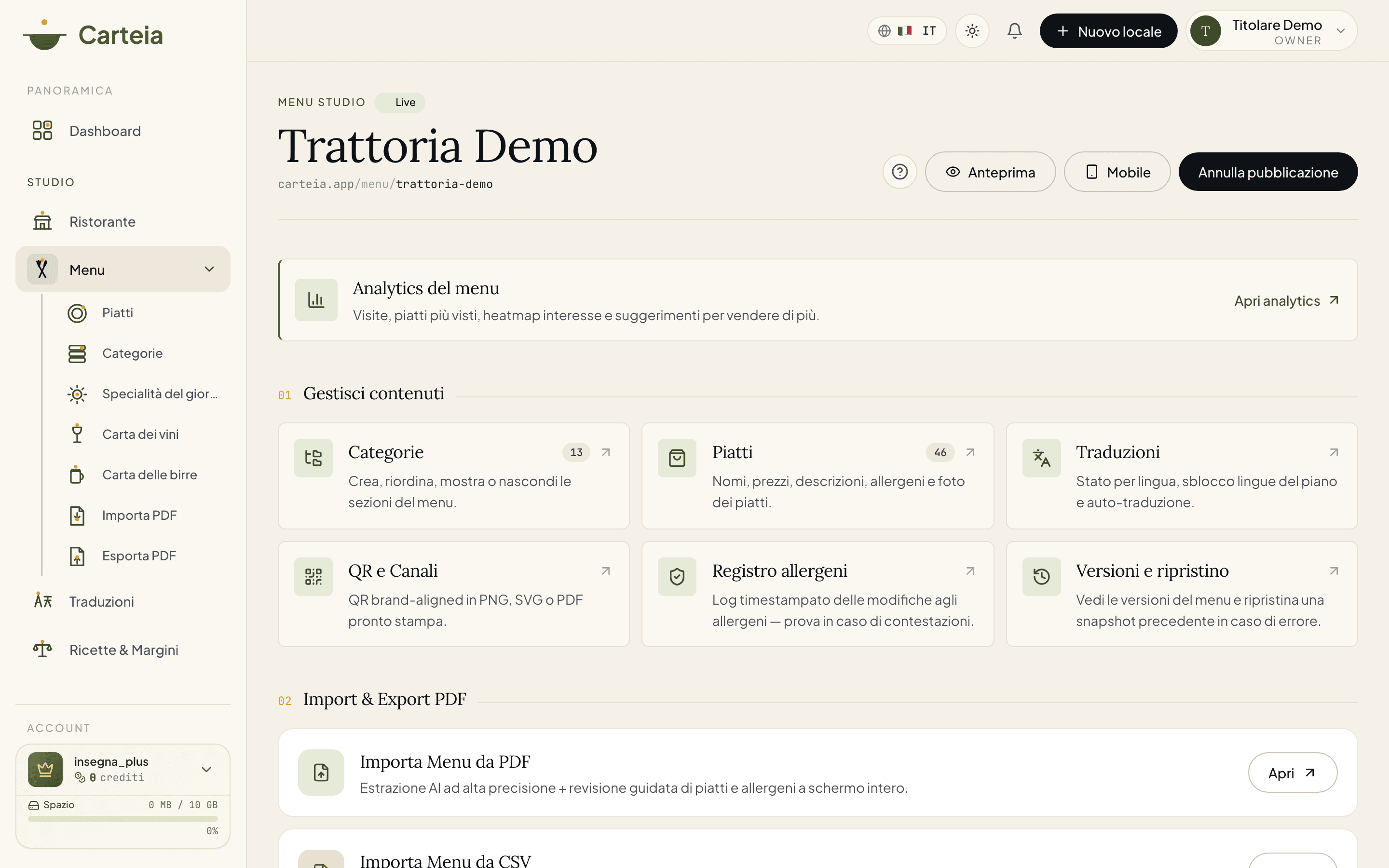
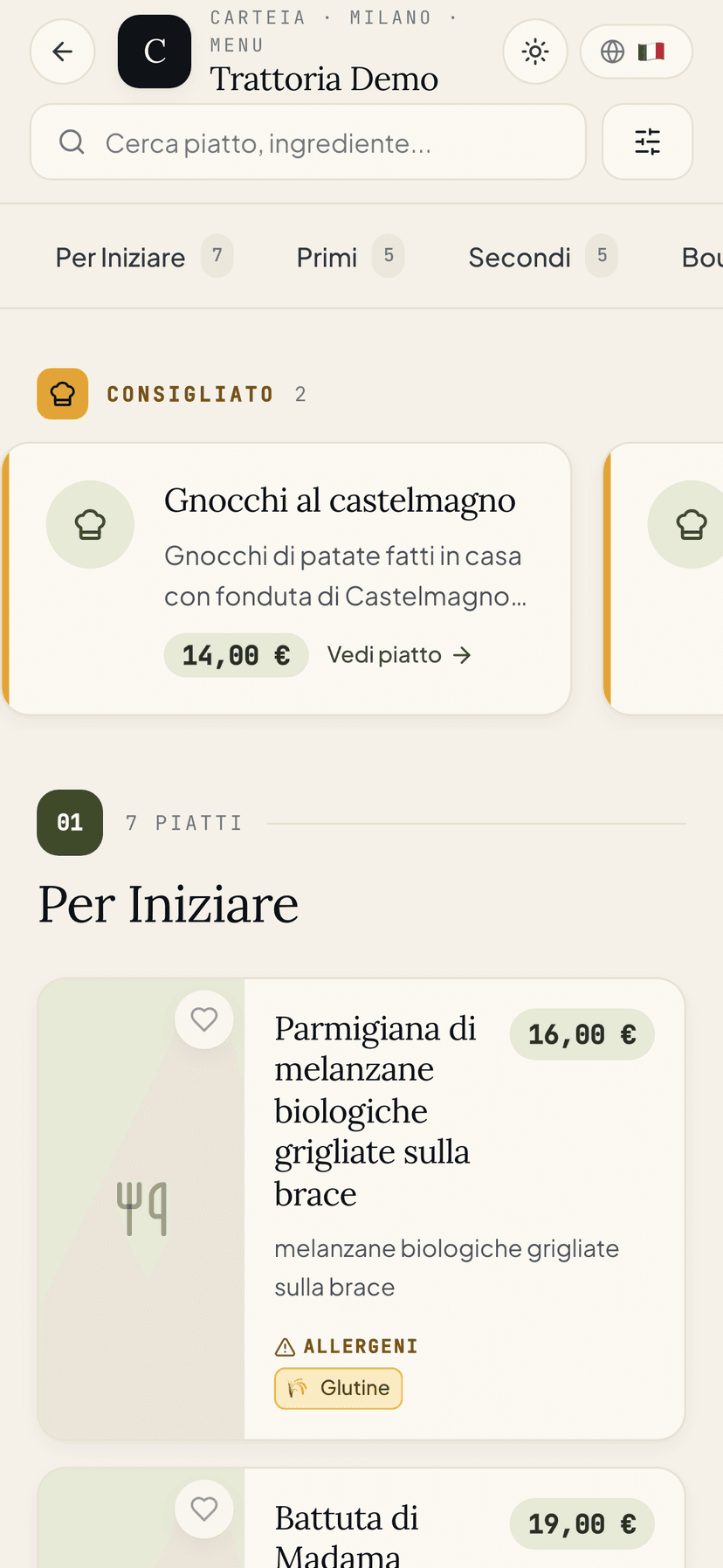
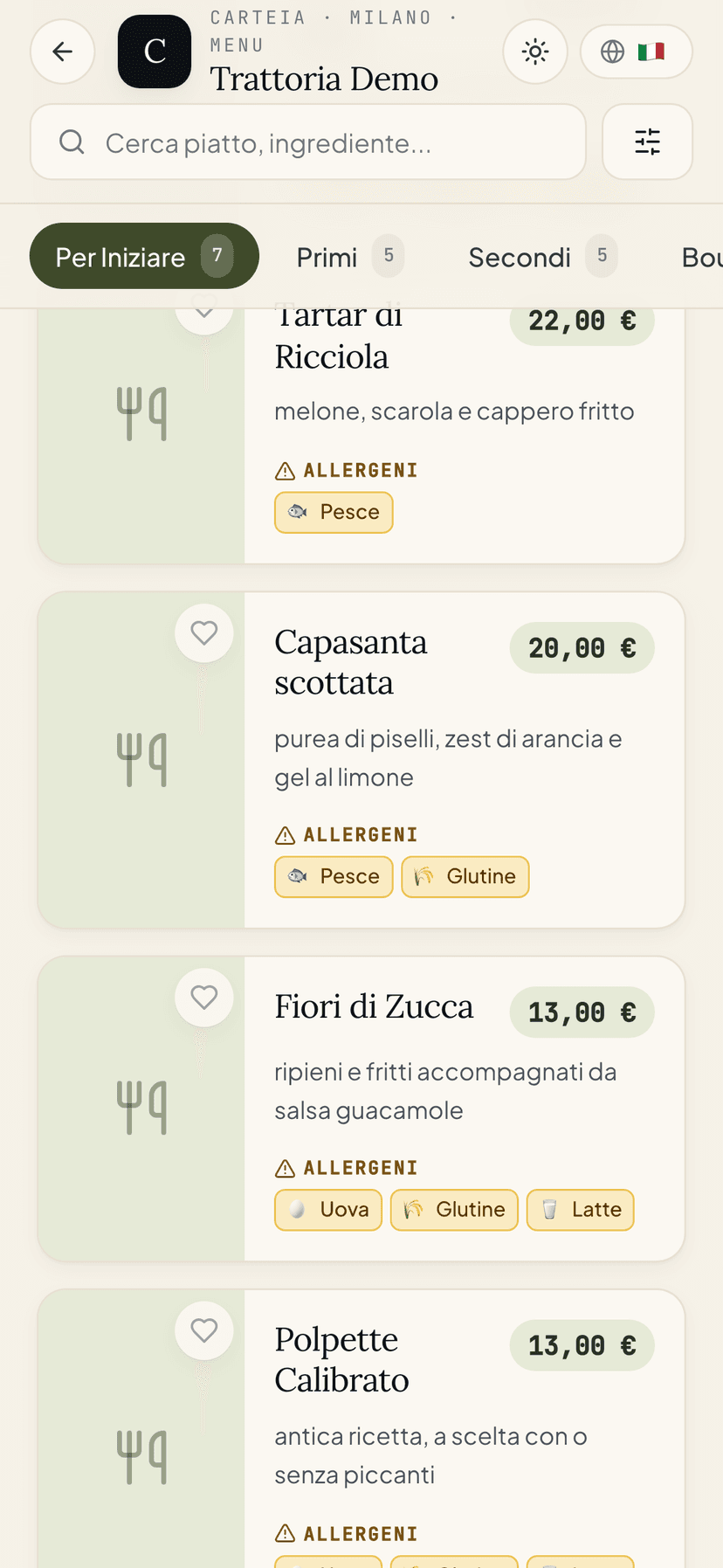
The menu pyramid
- Menu
- The main container (for example Main menu, Lunch menu, Sunday brunch). Each venue can have more than one.
- Category
- The sections inside the menu (Starters, Mains, Desserts…). You reorder them by dragging up and down.
- Dish
- The single item: name, description, price, photo, allergens, origin, variants.
Adding a dish
Go to Menu → Dishes and pick the right category from the tabs at the top.
Click
Add dishand write the name and a short description.Enter the price. The currency is already your venue's: you don't pick it for each dish.
Upload a photo (we recommend landscape, well lit). Drag the file in and you're done.
Tick the allergens present in the dish.
Save. The dish appears right away in your dashboard. It becomes visible to customers only once you publish the menu.
Every field of a dish
Beyond name, price and photo, for each dish you can fill in:
- Description: the short story of the dish (up to about 2,000 characters).
- Ingredients: the ingredient list. It also makes AI FAQs and pairings more accurate.
- Allergens: the 14 mandatory allergens (see below).
- Origin of the raw material: for beef, fish, honey and extra-virgin olive oil the law requires you to state the origin. If you pick one of these categories, you'll be asked for the country or area of origin.
- Frozen / defrosted: the flag to signal when a product was frozen, with a free note (for example fish blast-frozen at source).
- Wine pairing: a free text note (for example great with a young Chianti). Available on all plans. Automatic pairings to your cellar are a different thing — see the AI Sommelier.
- Page address (slug): the final part of the dish page link. We keep it stable so we don't break links you've already shared, but you can change it by hand.
- Available today: the "sold out today" switch. It removes the dish from today's availability without deleting it.
- Visible: the switch that shows or fully hides the dish.
Allergens
Carteia handles the 14 mandatory allergens of the European Union (Regulation EU 1169/2011):
cereals containing gluten · crustaceans · eggs · fish · peanuts · soybeans · milk · tree nuts · celery · mustard · sesame · sulphites · lupin · molluscs.
Each allergen is shown to the customer with a clear icon and its description, including for people using screen readers.
Allergen log
Every time you change a dish's allergens, Carteia notes it automatically in an allergen log: who changed what, and when. It's a history you can't alter, useful as proof in case of disputes or an inspection. You open it from Menu → Allergen log and you can export it.
Variants and add-ons
Bistro For dishes you can create three kinds of variants:
- Sizes (for example small / medium / large) with different prices.
- Free options (for example doneness: rare / medium / well done).
- Paid add-ons (for example +buffalo mozzarella 2€).
Daily specials
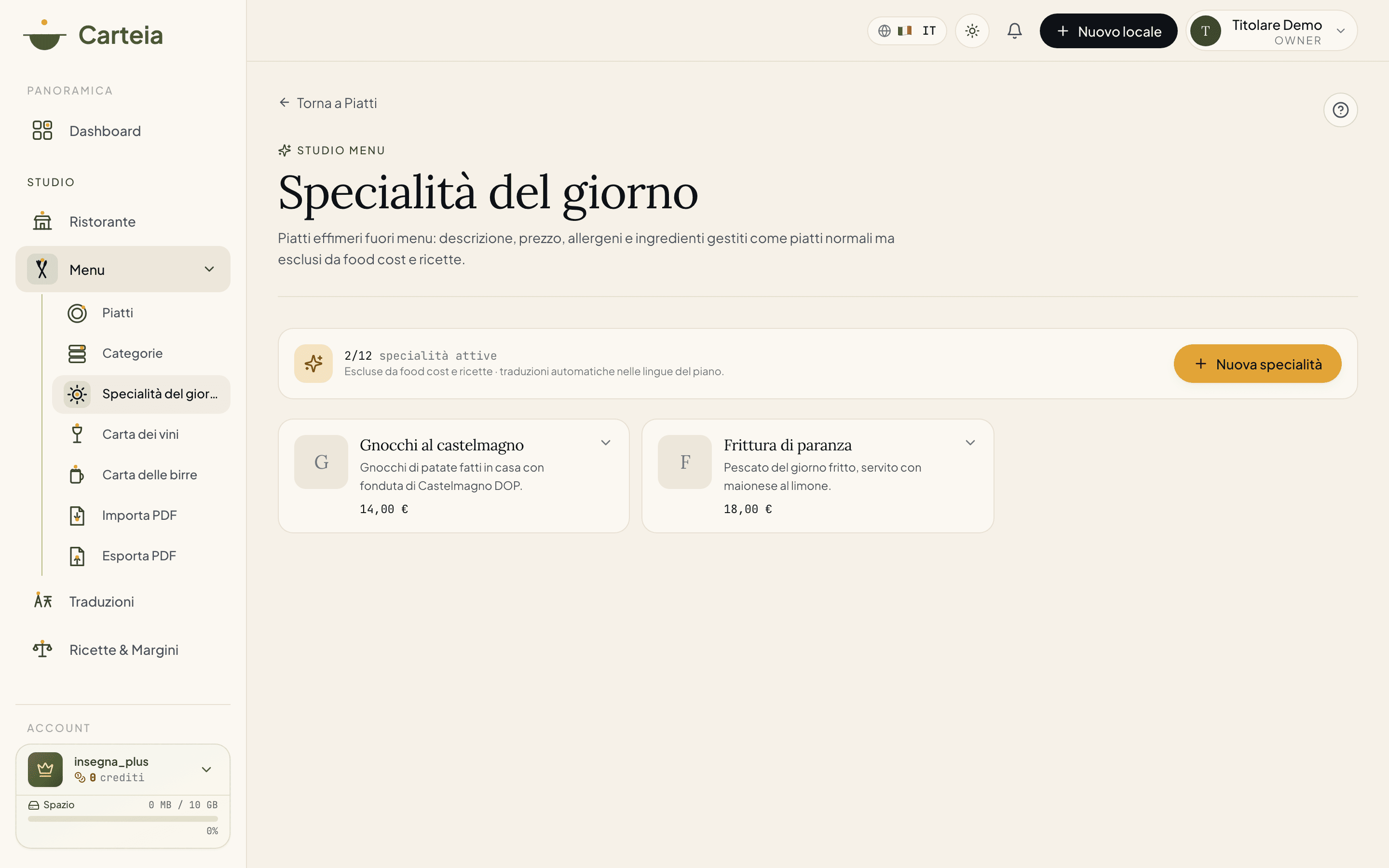
Bistro Daily specials are dishes that come and go, outside the fixed menu: the chalkboard specials, but digital. They have a description, price, allergens and ingredients, they get translated like other dishes, but they stay out of the food cost calculation and out of recipes.
You manage them from Menu → Daily specials. You can keep up to 12 active at a time: a counter at the top tells you how many are on (for example 1/12 specials active).
Wine list
Bistro The wine list is a dedicated section, with the right fields for a wine: you don't treat it like any other dish. You open it from Menu → Wine list.
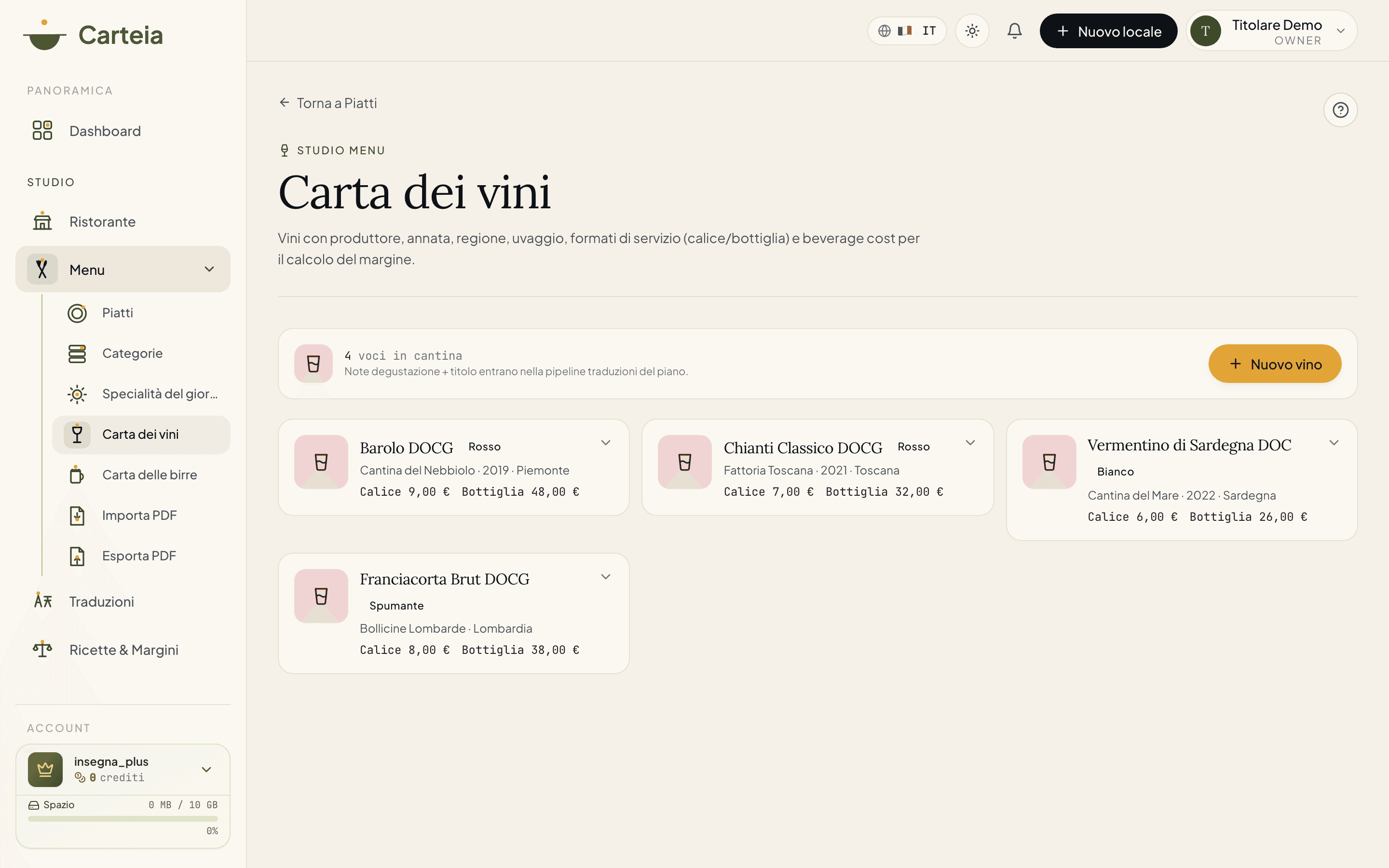
For each wine you can enter:
- Name and producer (for example Brunello di Montalcino — Casanova).
- Vintage and region of origin, plus country and appellation.
- Grapes (the grape varieties).
- Type/colour: red, white, rosé, sparkling, orange, dessert, fortified.
- ABV (alcohol) and bottle format.
- Serving prices: by the glass, the half and the bottle.
- Purchase cost (beverage cost), to see the margin. This column is visible to you but not to collaborators.
- Organic and tasting notes, which go into the plan's translations.
- A bottle photo, if you like.
Beer list
Bistro The beer list works like the wine list, but with beer-specific fields. You open it from Menu → Beer list.
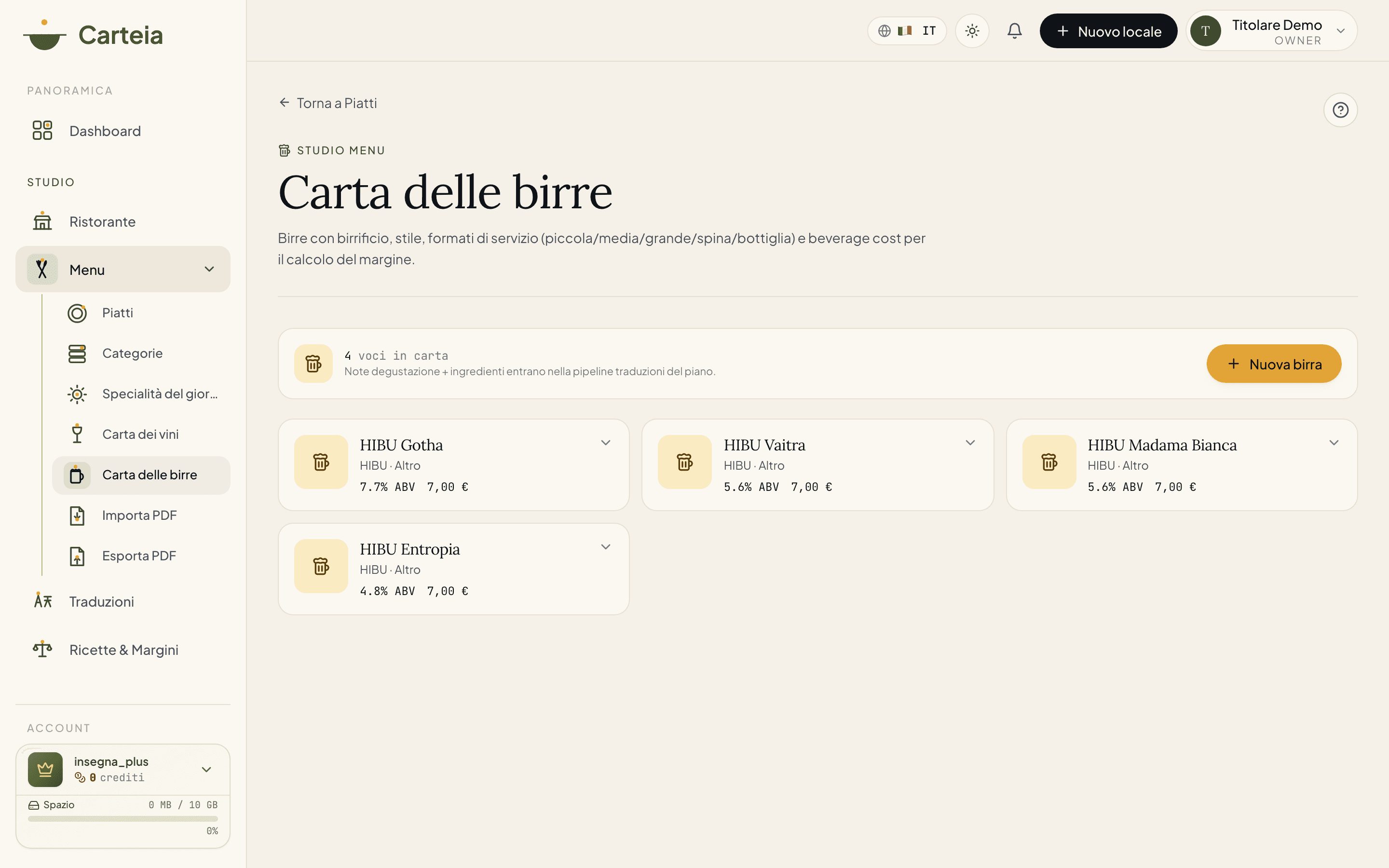
For each beer you can enter:
- Name and brewery.
- Style: lager, pilsner, IPA, APA, stout, porter, weiss, blanche, saison, sour and more.
- Country, ABV (alcohol), bitterness (IBU) and format.
- Serving prices in the various formats (for example small, medium, draught, bottle).
- Purchase cost, organic, ingredients and tasting notes.
- A photo, if you like.
Categories
Categories are the sections of the menu. You manage them from Menu → Categories: you create a new section, give it a name and an optional description, and drag it into the right spot. You can also hide a whole category without deleting it.
Saved menu versions
Carteia keeps saved versions (snapshots) of your menu, so if something goes wrong you can roll back. They're created automatically before delicate operations, like an import that overwrites the menu. You find and restore them from Menu → Saved versions.
Limits by plan
The number of dishes you can load changes with the plan. On Assaggio you can reach 40 dishes per venue; from Osteria up they're unlimited. Wine list, beer list, daily specials and variants start from the Bistro plan.
| Funzionalità | Assaggio Gratis | Osteria 8€/mese | Bistro 25€/mese | Ristorante 59€/mese | Insegna 129€/mese | Insegna Plus 199€/mese |
|---|---|---|---|---|---|---|
| Locali inclusi | 1 | 1 | 1 | 1 | 2 | 5 |
| Lingue del menu digitale | 2 | 2 | 4 | 8 | 8 | 8 |
| Lingue per l’export PDF | 2 | 2 | 4 | 8 | 8 | 8 |
| Crediti inclusi al mese | — | 15 | 60 | 250 | 600 | 1000 |
| Import del menu con AI / mese | — | 2 | 10 | 35 | 120 | 200 |
| Export PDF / mese | 1 | 3 | 15 | 50 | 150 | 250 |
| Piatti per locale | 40 | Illimitati | Illimitati | Illimitati | Illimitati | Illimitati |
| Collaboratori | — | — | 1 | 3 | Illimitati | Illimitati |
| Prenotazioni dal menu | ||||||
| Prenotazioni avanzate e gestione tavoli | ||||||
| Ordini e QR tavoli (add-on) | — | — | — | 15€/mese | 15€/mese | 15€/mese |
| Widget prenotazioni sito (add-on) | — | — | — | 9€/mese | 9€/mese | 9€/mese |
| Carta dei vini e delle birre | ||||||
| Abbinamenti vino e FAQ piatto con AI | ||||||
| QR personalizzato col tuo logo | ||||||
| PDF senza filigrana | ||||||
| Traduzioni automatiche sempre attive | ||||||
| Statistiche del menu | ||||||
| Statistiche avanzate | ||||||
| Food cost e margini | ||||||
| Rubrica clienti | ||||||
| Segmenti clienti avanzati | ||||||
| Email e campagne marketing | ||||||
| Automazioni marketing | ||||||
| Eventi e preventivi | ||||||
| Raccolta punti fedeltà | ||||||
| Personalizzazione pagina pubblica | — | Colori | Completa | Completa | Completa | Completa |
| Foto in evidenza | — | 3 | Illimitati | Illimitati | Illimitati | Illimitati |
| Sconto sui pacchetti crediti | — | −5% | −15% | −25% | −40% | −40% |
| White-label e API |
Carteia
Next steps
Frequently Asked Questions
- How many dishes can I load?
- On the Assaggio plan (free) up to 40 dishes per venue. From Osteria up they're unlimited.
- Can I have several menus, like lunch and dinner separately?
- Yes. Each venue can have several menus, and each menu has its own categories and dishes.
- Are dish photos required?
- No, but they make a huge difference: a dish with a photo sells much more. We suggest at least one photo for your main courses.
- From which plan can I add the wine and beer list?
- From the Bistro plan. On Assaggio and Osteria these sections are locked, along with daily specials and dish variants.
Version history
v2.0.02026-05-29— Full rewrite aligned with the code. Updated to the 6 real plans (Assaggio, Osteria, Bistro, Ristorante, Insegna, Insegna Plus) and removed the Collezione plan. Clarified that wine list, beer list, daily specials and variants start from Bistro (Osteria excluded). Documented all real dish fields: mandatory EU origin, frozen flag, page slug, ingredients, wine pairing note, available today. Added the allergen log and saved versions (snapshots).v1.2.02026-05-22— Added Wine list, Beer list and Daily specials sections.v1.0.02026-05-20— First publication.