



Marketing and campaigns
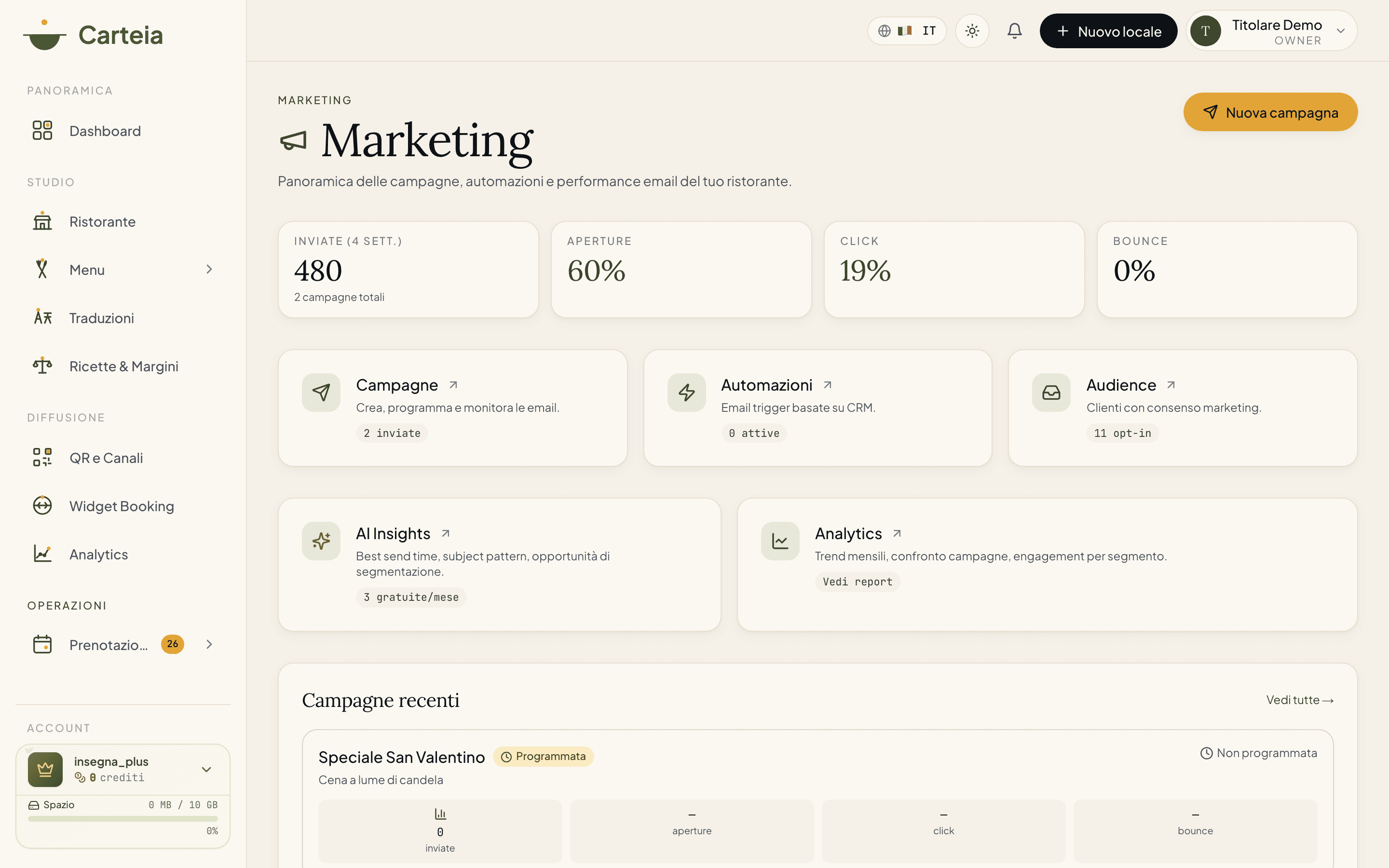
The marketing hub gathers email campaigns, automations, audience, inbox, templates, WhatsApp and AI advice. The assistant that writes campaigns starts from the Ristorante plan (6 credits per generation). The full marketing hub (creating and sending campaigns, automations, templates, WhatsApp, inbox) opens from the Insegna plan. Sending email costs very little: 1 credit per 10 emails.
Why it pays off
Finding a new customer costs money; bringing back one who's already been costs almost nothing. You already have their contacts: who booked, who left their email for the bill, who asked about an event. Carteia's marketing turns them into customers who come back, without you having to become a newsletter expert.
You send a tidy email in a few minutes, let the AI write it if you're short on time, and set up messages that send themselves (birthday wishes, "we miss you" to those who don't return). All while staying within the privacy and unsubscribe rules, which Carteia takes care of.
Which plan and how much it costs
- Basic customer address book — Bistro
- Collecting contacts (the CRM) already starts from Bistro. It's the foundation of all marketing.
- AI assistant for campaigns — Ristorante Senza costo aggiuntivo
- From the Ristorante plan you can have the AI write your campaign copy: it costs 6 credits per generation.
- Full marketing hub — Insegna
- From the Insegna plan everything else opens up: creating and sending email campaigns, automations, templates, WhatsApp, inbox, audience.
- Email send
- Costs 1 credit per 10 emails (i.e. 0.1 credit per recipient). Credits are only used when the campaign goes out.
Email campaigns
This is the heart of marketing: an email you send to a group of customers. You build it with a guided three-step flow.
In Marketing → Campaigns click
New campaign.Template: start from a ready-laid-out template (or from a blank page).
Content: give the campaign a name, write the subject, and compose the email in blocks (text, images, buttons, link to the menu, social). See the preview on both computer and phone.
Send: choose the recipients (all customers with consent, or a specific group) and decide whether to send
noworschedulea date and time.Confirm. If you chose "now", the campaign goes out; if you scheduled it, it goes out on its own at the right moment.
Having the AI write the campaign
If you're short on time or inspiration, the AI assistant writes for you. You tell it the goal (e.g. "fill the midweek evenings in November"), who you're addressing, any offer and the tone, and it gives you back ready copy to refine. It's trained on how restaurants communicate. Available from the Ristorante plan, it costs Senza costo aggiuntivo per generation.
Editing a draft
A campaign saved as a draft can be reopened and edited whenever you like. Ones already sent or scheduled can't be edited: in that case you duplicate and start again.
Automations: emails that send themselves — Insegna
This is marketing that works while you're in the kitchen. You set the message up once, and it goes out on its own every time the right occasion happens. You'll find them in Marketing → Automations, grouped by theme. For each one you flip the switch on and write the email (in blocks, like campaigns).
Reservations
- Booking reminder — the day before a confirmed booking.
- Post-visit feedback — the day after the customer came in.
- Review request — the invite to leave a review after the visit.
- Cancellation confirmation — when a booking is cancelled.
Customer lifecycle
- Win-back — to those who haven't returned for around 45 days.
- Customer birthday — wishes with an offer, near the birthday.
- Inactive recovery — to reactivate those who've vanished for around 90 days.
Content and menu
- New daily specials — alerts interested customers when you add the day's specials.
- Menu update — alerts when you add new dishes to the menu.
Private events
- Event invite — to invite customers to a special evening at the venue.
- Event follow-up — re-contacts an event lead by itself after a few days.
Audience: who you can reach — Insegna
In Marketing → Audience you see your reachable customer base at a glance: how many gave consent, how many are regulars (at least two bookings), how many are dormant (haven't been in 90 days) and how many are engaged (opened your emails in the last 90 days). From here you go straight to creating a campaign targeted at a group. Groups (segments) are managed in the customer CRM.
Inbox: your customers' replies — Insegna
When a customer replies to one of your emails, the reply isn't lost: it lands in Marketing → Inbox. You see them all, filter between unread and archived, and reply. So your campaigns become a conversation, not a monologue.
Templates: write once, reuse always — Insegna
In Marketing → Templates you'll find Carteia's ready-made templates and your personal library: every time you build a nice email, you can save it as a template and start from there next time. Less work, more consistency.
WhatsApp — Insegna
As well as email you can send WhatsApp messages to customers who left a number and gave consent. You'll find it in Marketing → WhatsApp.
AI Insights: advice written for you — Insegna
In Marketing → AI Insights you ask the AI for practical advice on your marketing data: the best time to send, how to write subject lines that get emails opened, how to split your customers into useful groups, how to win back those who don't return. You pick the topic, ask the question, and get a tailored analysis.
- Access — Insegna
- Generating new AI advice is available from the Insegna plan up.
- Free consultations included each month
- Insegna: 5 a month. Insegna Plus: 10 a month. Consultations already generated stay available at no cost.
- Beyond the limit — Senza costo aggiuntivo
- Each extra consultation costs 4 credits.
Measuring results
For each campaign Carteia counts automatically:
- Sent — how many emails went out.
- Opens — how many opened (thanks to a tiny invisible signal in the email).
- Clicks — how many clicked a link.
- Bounces — how many didn't arrive (wrong address or full mailbox).
In Marketing → Analytics you see the trend over time, the comparison between campaigns and customer engagement.
Settings: sender and delivery — Insegna
In Marketing → Settings you decide the sender name the customer sees in their inbox, a label for replies, and the footer of the emails (where to put VAT number, address, registered office). Here you'll also find the suppression list: the addresses that must no longer receive anything. Those who bounce permanently or report you as spam end up there on their own; you can also add addresses by hand.
Best practice
Importing customers from a file
If you already have a list of customers in a spreadsheet, you can import it. Importing contacts from a file is available from the Ristorante plan and costs 1 credit per 100 contacts imported. You'll find the detail in the Customers CRM guide.
Next steps
- Customers CRM — the address book, consents and customer groups.
- Loyalty — reward those who come back.
- Private events — fill special evenings.
- Plans and credits — how credits work.
Frequently Asked Questions
- How much does sending a campaign cost?
- Sending email costs 1 credit per 10 recipients (i.e. 0.1 credit per email): sending to 200 customers is 20 credits. Having the AI assistant write the campaign costs 6 credits per generation, but that's optional. Credits are only used when the campaign actually goes out, not when you prepare or schedule it.
- Which plan can I use marketing from?
- The AI assistant that writes campaign copy is available from the Ristorante plan. The full marketing hub (creating and sending email campaigns, automations, templates, WhatsApp, inbox) opens from the Insegna plan. The basic customer address book already starts from Bistro.
- Do the emails end up in spam?
- Carteia sends with a professional mail system and adds the unsubscribe link required by anti-spam rules itself. To reach the right inbox it matters that the sender's domain is set up properly: you'll find the procedure in the dashboard. Bounces and spam reports are handled automatically and problem contacts excluded.
- Can I schedule a send for later?
- Yes: choose 'Schedule' and set a date and time. The campaign goes out on its own at the right moment.
- What are automations?
- They're emails that send themselves when something happens: the day after a visit, near a customer's birthday, when a customer hasn't been back for a while. You set them up once and they work for you. They're available from the Insegna plan.
Version history
v2.0.02026-05-29— Full rewrite against the real code for the whole marketing hub + corrected credits. Changed the cost model: email send 0.1 credit (1 per 10), AI campaign assistant 6 credits (from Ristorante), AI Insights 4 credits (access from Insegna), CSV import 1 credit per 100 contacts (from Ristorante), WhatsApp 2 credits (from Ristorante). Documented for the first time: automations (11 triggers), inbox, templates, audience, WhatsApp, AI Insights, sender settings and suppression list.v1.2.02026-05-22— Corrected deliverability FAQ (real provider, SPF/DKIM/DMARC).v1.1.02026-05-22— Removed reference to the Collezione plan.v1.0.02026-05-20— First publication.