



Reservations: a full dining room, zero missed calls
Two ways to work. Simple table requests are on every plan (Assaggio included): the guest leaves a request from your public menu and you confirm with a tap. Advanced Booking, from Ristorante up, shows guests only the times that are really free, blocks double-bookings and gives you a live floor plan with automatic table assignment. The reservations list is the same for both: filters, search, quick actions, a Today section always pinned on top.
Why it pays off
It's Friday night, 7 pm. The phone rings while you're carrying three plates to a table, and two more people are waiting to book. You lose at least one of them.
With Carteia those requests come in on their own: the guest books from your digital menu, you see it in the list and confirm with a tap when you get a second. No overlapping calls, no bookings scribbled on a napkin, no table given out twice.
There are two ways to work, and you choose based on how many reservations you handle:
- Simple table requests — on every plan, Assaggio included. The guest leaves a request (day, time, party size) and you confirm by hand. Perfect if you get a handful of bookings a day and like to stay in control.
- Advanced Booking — from Ristorante up. The guest sees only the times that are really free, double-bookings block themselves, and you also get the live floor plan with automatic table assignment. For double shifts, several rooms or lots of bookings.
What changes from plan to plan
| What you can do | Assaggio | Osteria | Bistro | Ristorante | Insegna | Insegna Plus |
|---|---|---|---|---|---|---|
| "Book a table" button on the public menu | Yes | Yes | Yes | Yes | Yes | Yes |
| Table requests per month | 30 | 60 | unlimited | unlimited | unlimited | unlimited |
| Confirm/reject by hand + automatic reminders | Yes | Yes | Yes | Yes | Yes | Yes |
| Add a phone reservation by hand | Yes | Yes | Yes | Yes | Yes | Yes |
| Real-time free times for the guest | No | No | No | Yes | Yes | Yes |
| Per-shift capacity + automatic double-booking block | No | No | No | Yes | Yes | Yes |
| Live floor plan (Table Manager) | No | No | No | Yes | Yes | Yes |
| Reservation analytics (no-show, occupancy) | No | No | No | Yes | Yes | Yes |
| Multiple venues on one account | 1 | 1 | 1 | 3 | 10 | 20 |
When simple requests are enough
Simple table requests cover the most common cases nicely:
- Trattoria, neighbourhood pizzeria, bistro with few shifts.
- A venue that gets up to a dozen bookings a day and confirms them in person.
- Simple hours, with no split between dining room, terrace and private area.
Here you don't need anything complicated: the request arrives by email and with a dashboard notification, and you confirm or reject it in seconds. That's it.
Read more in Simple table requests.
When it's worth moving to Advanced Booking
Advanced Booking is built for more structured venues:
- A restaurant with double shifts and a frequently full room.
- More spaces to manage (large room, summer terrace, private area for events).
- The desire to know how many no-shows you have, how far ahead people book, which shifts stay empty.
- The need never to give out the same table twice and to show guests only the free times.
Read more in Advanced Booking.
The reservations list, where you live every day
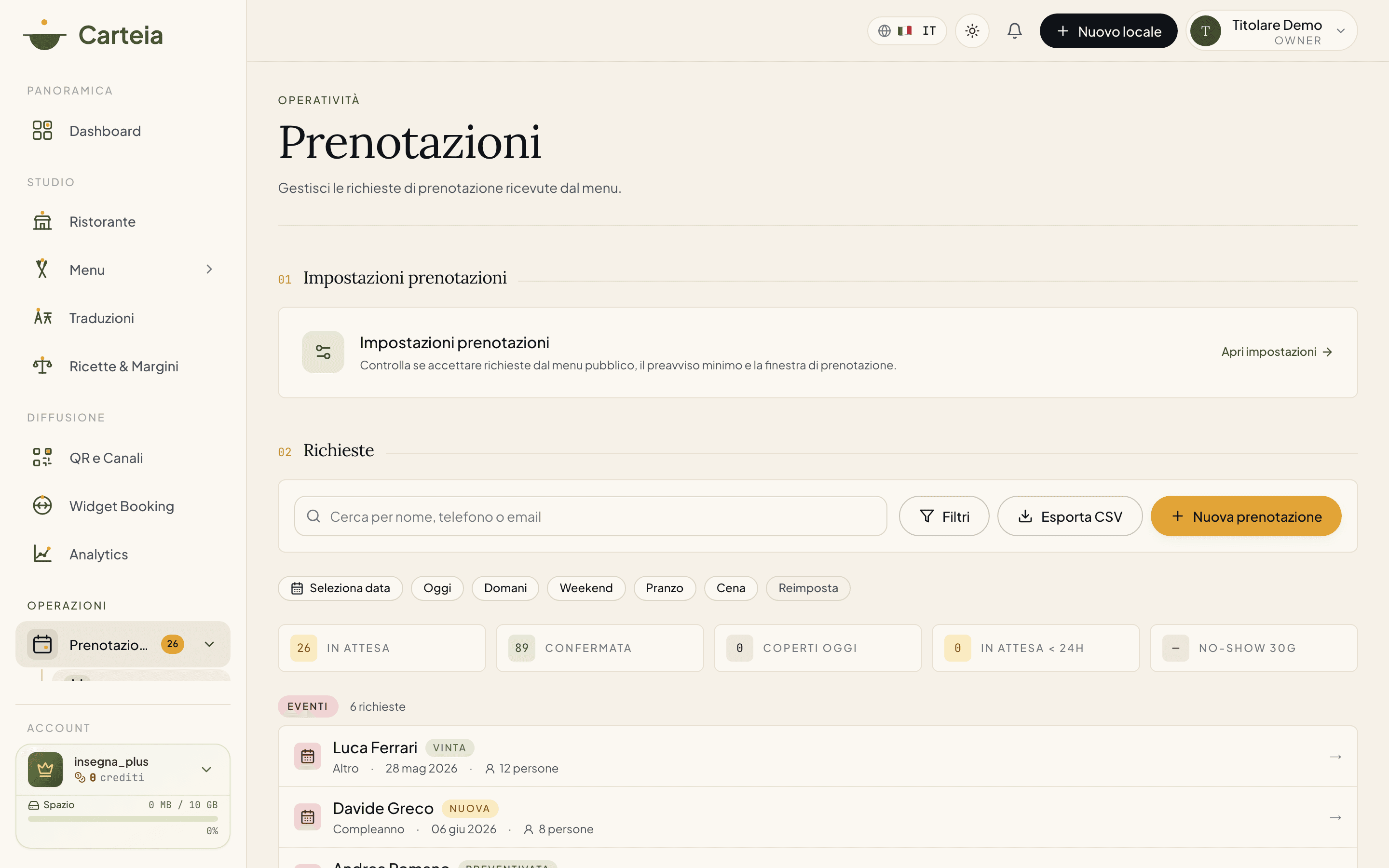
Whether you use simple requests or Advanced Booking, the list is the same. It's built to be fast during service.
What you'll find:
- A "Today" section always pinned on top. Today's bookings (pending, confirmed, completed) stay at the start no matter what filter you've applied. Open the page and you immediately see what tonight looks like.
- Search. Type a name, phone or email and the list filters on the fly.
- Quick chips. One tap on
Today,Tomorrow,Weekend,Lunch(12:00–15:00) orDinner(19:00–23:00) to narrow down at once.Resetputs it all back. - Calendar. The date button opens a small calendar to jump to a specific day.
- Extended filters. Open
Filtersto filter by status, date range, time range and room. - The numbers of the moment. A strip shows at a glance: pending, confirmed, covers today, bookings to handle in the next 24 hours and the no-show rate over the last 30 days.
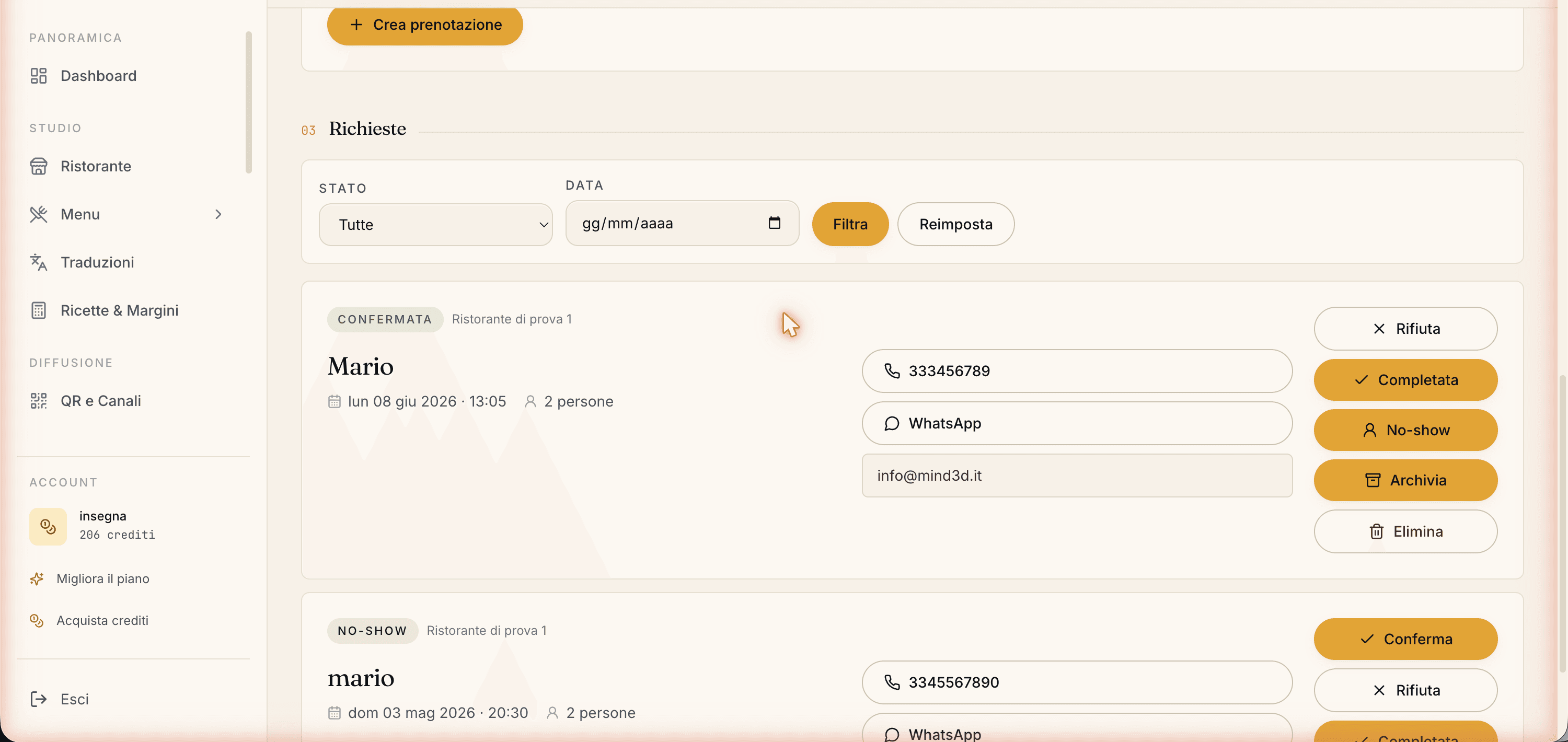
- Quick actions on every row. Confirm and reject with a tap; the
⋯menu adds completed, no-show, archive, cancel, copy phone, write on WhatsApp, open the customer card in the CRM, delete. - Multi-select. Tick several bookings and confirm, reject, mark as no-show or archive them all together.
- CSV export. Download the bookings you're looking at in a file you can open with Excel or Google Sheets.
A reservation's detail
Clicking on a booking opens a side panel with everything: day and time, covers, room, occasion (birthday, anniversary…), any allergies highlighted in red for the kitchen, the guest's contacts with buttons to call, write on WhatsApp or send an email.
Here you also add internal notes, visible only to you and your staff: "regular, table by the window", "celebrating their 30th, bring the candle". And if the plan includes Advanced Booking, this is where you assign the table (see Table Manager).
How a reservation goes, from start to finish
The flow is always this one, easy to explain even to a new waiter:
The guest books from the public menu (name, phone, covers, day, time), or you add by hand a booking that came in by phone.
Carteia creates the request as "Pending", sends you an email and lights up a dashboard notification.
You open the booking, check the details and choose: Confirm, Reject, Archive.
Carteia writes the right email to the guest automatically (confirmation with the add-to-calendar invite, a polite rejection) and sends the reminder the day before.
At the end of the night you mark Completed (they came) or No-show (they didn't). These data feed the CRM and the analytics.
The automatic reminders
You don't have to remember to warn guests: Carteia takes care of it.
- Confirmation, as soon as you accept the booking, with the add-to-calendar invite.
- A reminder the day before the visit, for all confirmed bookings.
- A thank-you after the visit, with an invitation to leave a Google review.
All these emails go out in the language the guest had chosen on the menu. You'll find the detail in Simple table requests.
Related features
- Simple table requests — the simplest way, on every plan.
- Advanced Booking — real-time free times, capacity, analytics.
- Rooms & tables — where you create rooms and time slots (needed for Advanced Booking).
- Table Manager — the live floor plan with automatic assignment.
- Multi-location — managing several venues from one account.
- Customer CRM — no-shows and honoured visits build the guest's score.
- Plans and credits — what each plan includes.
Frequently Asked Questions
- Can I take reservations on the free Assaggio plan?
- Yes. Simple table requests are included on every plan, Assaggio too. Only the monthly cap changes: Assaggio accepts up to 30 requests a month, Osteria 60, and from Bistro up they are unlimited.
- What is the difference between simple requests and Advanced Booking?
- With simple requests the guest leaves a date, time and party size and you confirm by hand: ideal when you receive few bookings. With Advanced Booking (from Ristorante) the guest only sees times that are really available based on rooms and capacity, and double-bookings are blocked automatically. You also unlock the live floor plan (Table Manager).
- Do I need to set anything up to start?
- For simple requests, almost nothing: turn the module on, choose how much notice you need and how far ahead guests can book. For Advanced Booking you first create at least one room with its capacity and one time slot in Rooms & tables.
- How do I handle no-shows?
- Mark the reservation as No-show with a tap. It lowers the guest's reliability score in the CRM and raises your venue's no-show rate, which you can see in Insights from Ristorante up.
- Where do I record phone reservations?
- You add them by hand from the list with the New reservation button (limited to those who manage reservations). On plans with Advanced Booking the system still checks capacity and opening hours as you enter them.
Version history
v4.0.02026-05-29— Important fix: simple table requests are on EVERY plan (Assaggio 30/month, Osteria 60/month, Bistro+ unlimited), no longer only from Bistro. Documented the new compact list (search, date/time/room filters, quick chips, calendar, Today section, bulk actions, keyboard shortcuts, CSV export) and the detail drawer. Added the automatic reminders summary.v3.0.02026-05-22— Rewrite: overview page with dedicated sub-guides, Rooms & capacity integration, analytics section.v2.0.02026-05-20— Advanced booking integrated: live availability, 15-min slots, space selector, manual creation.v1.0.02025-11-10— First publication.