



Menu theme: your venue's look on the digital menu
With Osteria you customize the heading color and the menu font. With Bistro you unlock 10 ready-made styles (Editorial, Trattoria, Fine dining, Bistro, Street food, Chalkboard, Brunch, Wine bar, Japandi, Luxury), plus background color, accent color, heading font, and opening in dark theme. The preview is identical to the live menu. On Assaggio, customization is not included.
In brief
The menu theme (/dashboard/tema, Studio group) serves one simple purpose: making your digital menu look like yours. Not an anonymous template that is the same for everyone, but a page with the colors, the typeface, and the atmosphere of your venue — whether it is a local trattoria, a fine dining restaurant, or a cocktail bar.
You work in an editor with the preview alongside: you choose a style, tap a color, change a font, and you immediately see how the menu turns out. When you like it, you save. From that moment, customers who scan the QR code see the new look.
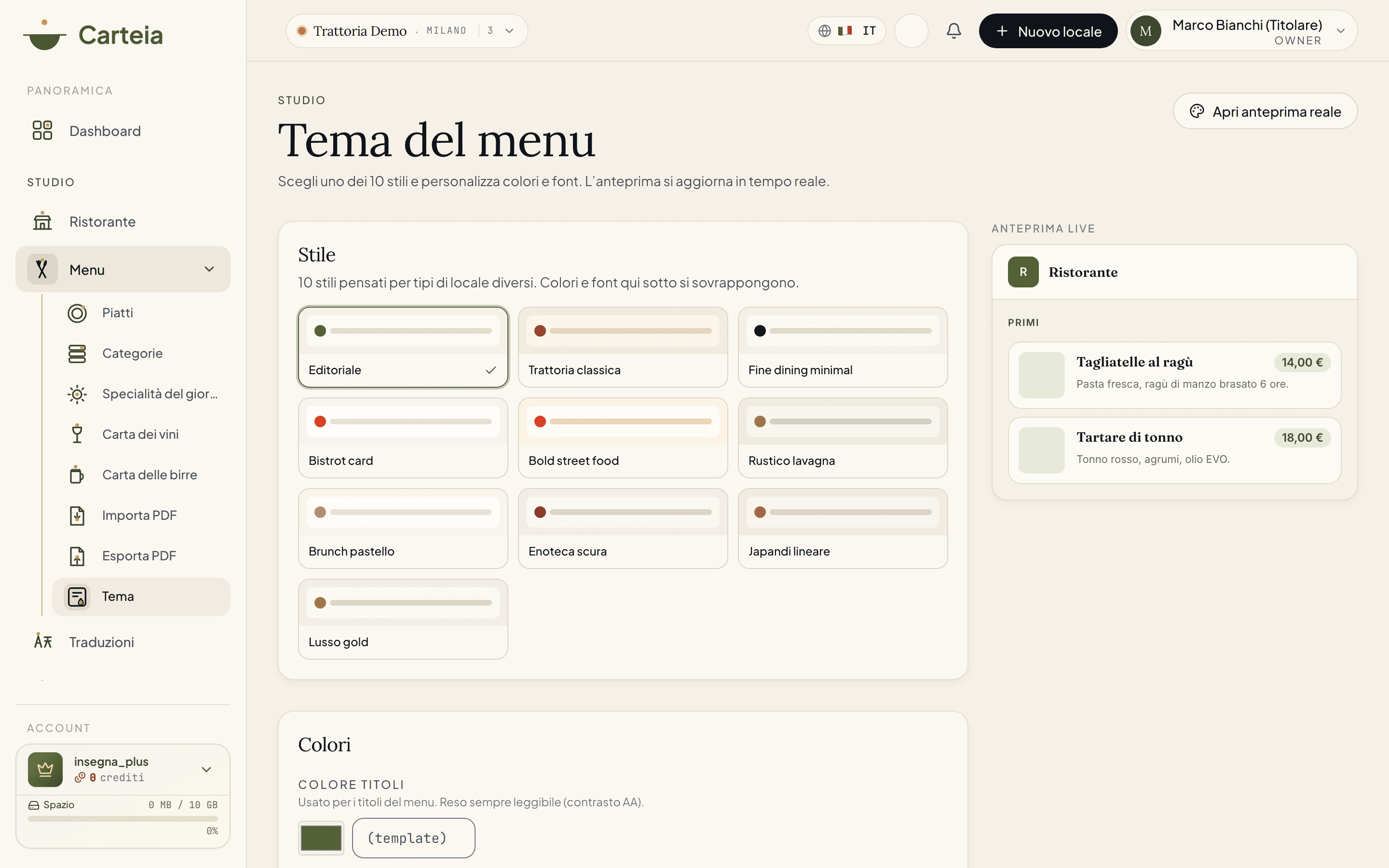
What you can customize, plan by plan
Customization grows with your plan. On Assaggio it is not included: the editor shows you how to unlock it.
Color and font — from Osteria
With Osteria you already give the menu an identity:
- Heading color — the main color, used for dish names and headings. It is always rendered legibly against the background (AA contrast), so you do not risk invisible text.
- Body font — the text typeface, chosen from a curated selection (Inter, Poppins, Playfair Display, Lora, Fraunces, along with the classic serif and the style's default).
10 styles, background, heading font, and dark theme — from Bistro
From Bistro onward, everything opens up:
- 10 ready-made styles (see below), each with its own palette, fonts, and layout.
- Background color of the menu and accent color (the price pill, the active section, the buttons).
- Heading font separate from the body font.
- Open the menu in dark theme: the menu is presented in dark version by default (the customer can always switch with the toggle).
The 10 styles
Each style is designed for a type of venue. Some show the photos of the dishes (cards), others go for an elegant text-based menu (list, without photos).
| Style | Best for | Photos |
|---|---|---|
| Editorial | The versatile default: cards, elegant serif, lots of white | Yes |
| Classic trattoria | Ivory and paper, warm serif, terracotta accents | Yes |
| Fine dining minimal | Ivory and black, high contrast, plenty of space | No |
| Bistro card | Cards with large photos, geometric sans, orange accent | Yes |
| Bold street food | Cream and bold red, characterful display, badges | Yes |
| Rustic chalkboard | Dark slate, chalk text, brass accent | No |
| Pastel brunch | Rounded corners, soft tones — cafés and bakeries | Yes |
| Dark wine bar | Elegant dark, burgundy and gold — wine bars and cocktails | No |
| Linear Japandi | Warm minimalism, neutrals with a clay accent | Yes |
| Gold luxury | Black and gold, cover-style serif, lots of breathing room | No |
How it works
Choose a style (from Bistro) that comes close to your venue. The grid shows a small color preview for each one.
Tweak the colors if you want: headings, and — from Bistro — accent and background. The
Reimpostabutton restores the style's color.Choose the fonts: body text and, from Bistro, heading font. Decide whether to open the menu in dark theme.
Look at the preview on the right: it updates with every change and is identical to the live menu.
Save the theme. The new look is online immediately for anyone who opens the menu.
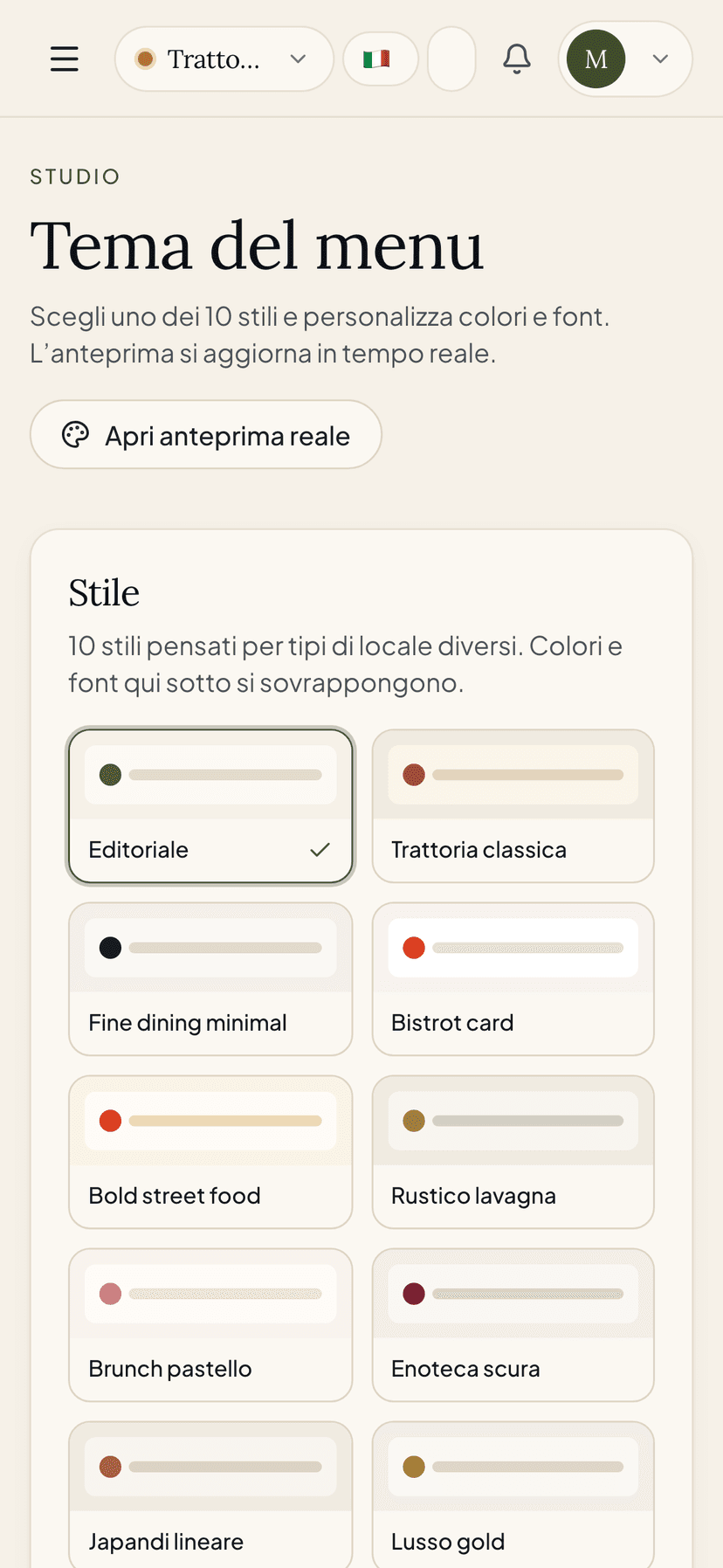
Why it is worth it
- Recognizability. A menu with your colors and your typeface conveys care and strengthens your brand: the customer remembers you, not some generic template.
- Consistency with the dining room. If the venue is warm and rustic, the menu can be too; if it is minimal and refined, likewise. The digital experience does not clash with the real one.
- Zero technical risk. No CSS, no code: you choose from a visual editor and the colors always stay legible. What you see is what you get.
- Dark theme ready. Many customers use their phone in dark mode: opening the menu already dark is gentler on the eyes in the evening.
Limits by plan
| Feature | Assaggio | Osteria | Bistro | Ristorante | Insegna | Insegna Plus |
|---|---|---|---|---|---|---|
| Heading color + body font | No | Yes | Yes | Yes | Yes | Yes |
| 10 ready-made styles | No | No | Yes | Yes | Yes | Yes |
| Background and accent color | No | No | Yes | Yes | Yes | Yes |
| Separate heading font | No | No | Yes | Yes | Yes | Yes |
| Opening in dark theme | No | No | Yes | Yes | Yes | Yes |
Related features
- QR codes and channels — how customers reach the themed menu.
- Social page (bio) — the public linktree page, also customizable.
- Plans and credits — what each plan includes.
Frequently Asked Questions
- From which plan can I customize the theme?
- With Osteria you choose the heading color and the body font. From Bistro onward you unlock the 10 styles, the background color, the accent color, the heading font, and opening in dark theme. On Assaggio, customization is not included.
- Is what I see in the preview really what the customer will see?
- Yes. The preview uses the same engine as the public page: what you see in the panel on the right is exactly how the menu will appear to the customer, with no surprises.
- Do the colors I choose always stay legible?
- Yes. The heading color is always rendered legibly against the background (AA contrast). If you leave a field empty, the default color of the chosen style applies.
- If I change plan, what happens to my theme?
- Customizations beyond your plan are automatically downgraded when the menu is displayed: the gating is enforced server-side, not just in the editor.
Version history
v1.0.02026-06-14— Prima pubblicazione: 10 stili, colori, tipografia, tema scuro, anteprima live, gating Osteria (base) / Bistro+ (completo).