



Accessibility and rules: WCAG 2.1 AA and AgID guidelines
Carteia builds menus and dashboard following the WCAG 2.1 AA accessibility standard: readable text, keyboard navigation, labels for screen readers. It applies on every plan, even the free one. On top of that you get the tools to stay compliant on privacy and consents: cookie registry, per-venue consents, signed agreements.
At a glance
A menu exists to let people order. All people: including those with weak eyesight, those who navigate by keyboard, those using a screen reader. Carteia builds menus and dashboard following the most widely used accessibility standard, WCAG 2.1 level AA, as a design reference. It's included on every plan, even the free one: it's not an extra to pay for.
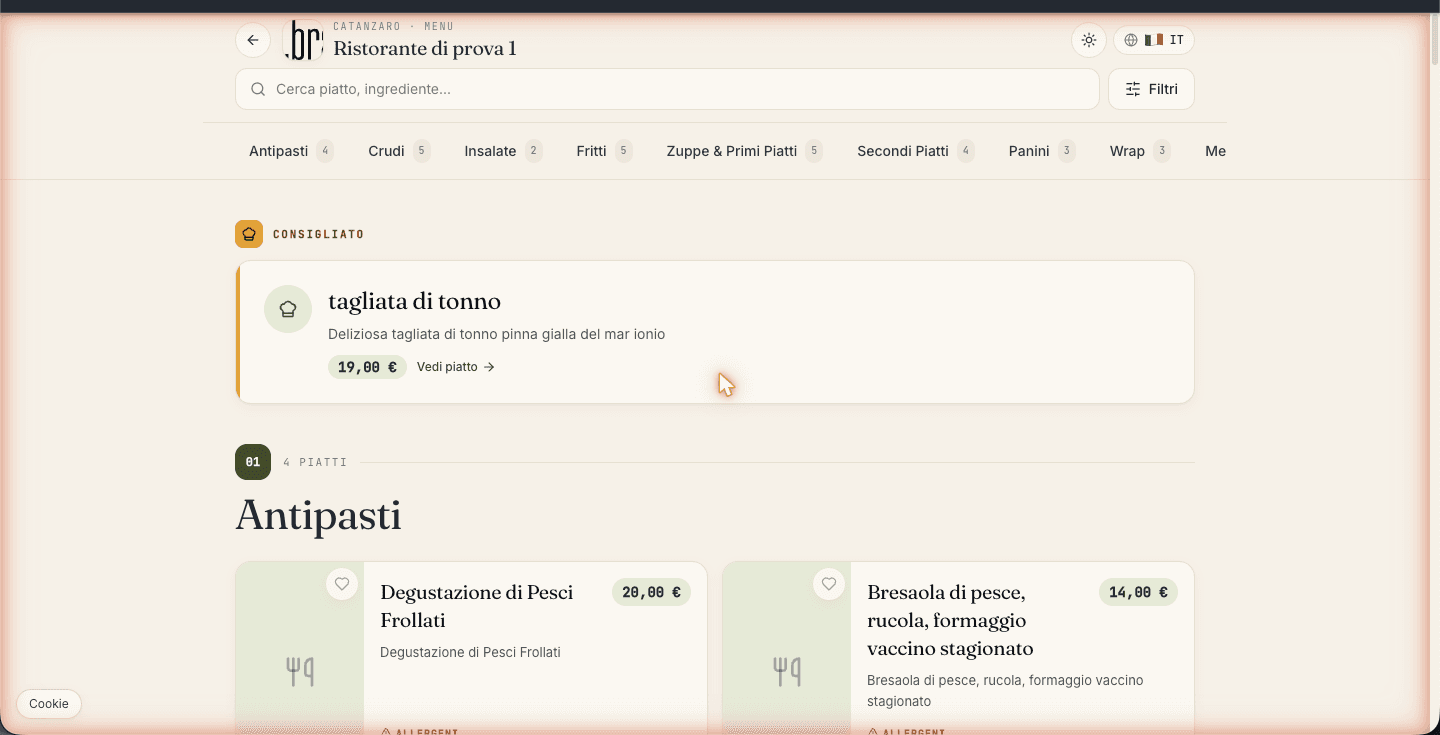
What Carteia does for you (with no effort on your part)
Skip to content
At the top of every page there's a "Skip to main content" link that appears when you navigate by keyboard. Those using a screen reader or not using a mouse skip the menus and get straight to the point.
Ordered page structure
Pages are organized logically (header, content, navigation) with headings in order: one main heading and then subheadings going down. This helps both screen readers and those reading in a hurry.
Labels for assistive technologies
Buttons and controls have descriptive labels designed for those who don't see the screen. For example, a locked menu item "says" it's locked, and the steps of a wizard "say" where you are.
Declared language
Each page declares which language it's written in, so the screen reader pronounces it with the right accent. For multilingual menus, the links between versions are handled automatically.
Readable contrast, even at night
The colors are chosen so the text stands out clearly from the background, both with the light theme and the dark one. It's the readability level required by the AA standard.
Keyboard and touch
All controls can be reached with the Tab key, and the active one is always visible. On phones and tablets the buttons are big enough to tap without missing.
What you can do in two minutes
The product does its part, but you write the menu content. Five simple gestures and your menu becomes much more accessible:
Add descriptive text to every dish photo (for example "Spaghetti with tomato and fresh basil, in a white plate"). Don't leave it empty.
Write clear descriptions: ingredients, how it's prepared, any notes. Avoid abbreviations only you understand.
Mark allergens with the dedicated checkboxes, not just a little icon: that way they're read out too.
For videos, add a transcript or subtitles.
Keep dish names understandable: a fancy name is fine, but always pair it with a line explaining what it is.
Privacy and consents: the tools to stay compliant
Beyond accessibility, Carteia gives you the tools to handle privacy properly:
- Cookie consent registry
- Every choice a visitor makes on the cookie banner is recorded and never overwritten: the full history remains. If someone challenges it down the line, you have proof of what they accepted and when.
- Customer consents, even per venue
- Your customers can give or withdraw marketing consent both overall and venue by venue. The choices stay tracked.
- Signed DPA and Terms of Service
- From the
Settingspage you sign and store the data processing agreement (DPA) and the Terms of Service for your venues, with the status of each and the document always downloadable.
What, to be honest, isn't there (yet)
For clarity, these things are not currently available:
- A public accessibility statement page in the style of public-sector sites. Carteia is a private platform and doesn't fall under those direct obligations. If you need one for your case (e.g. a venue in a public building), write to us.
- An external certification badge: WCAG 2.1 AA conformance is a design reference we maintain internally, not a certificate issued by a third party.
Found a problem?
If you run into an accessibility difficulty (on a public menu or in the dashboard), write to us stating:
- the page or control involved;
- what you were using (screen reader, browser, phone or computer);
- what went wrong.
Accessibility reports get priority when we fix problems.
Next steps
Frequently Asked Questions
- Do I have to do anything for my menu to be accessible?
- Almost nothing: basic accessibility is already active on every menu, on every plan. The most useful thing you do is write clear dish descriptions and add text to the photos, so even those using a screen reader understand what they're looking at.
- Do screen readers (VoiceOver, NVDA, TalkBack) work on my menus?
- Yes. The pages use an ordered structure and labels designed for assistive technologies, so screen readers read headings, menus and content in the right order.
- Is there a public accessibility statement like the ones on public-sector sites?
- Not as a dedicated online page. Carteia is a private platform and doesn't fall under the direct AgID obligations of public-sector sites. WCAG 2.1 AA conformance is handled at product level. If you need a formal statement (for example for a venue inside a public building), write to us.
- Does Carteia help me with cookies and consents too?
- Yes. There's a cookie consent registry (it tracks every visitor's choice), per-venue customer consent management, and the area where you sign and store the DPA and Terms of Service. These are the tools you need to stay compliant on privacy.
Version history
v3.0.02026-05-29— Tone updated and scope expanded: added the section on privacy and consents that actually exists (immutable cookie registry /api/consent, per-venue customer consents, DPA + Terms of Service area in Settings with a staff-side review queue). Confirmed the real a11y elements (skip link, ARIA, semantics, contrast, focus, touch target). Aligned the six 2026-Q2 plans.v2.0.02026-05-23— Rewrite: removed unverifiable claims (/accessibility page, IAAP audit, axe-core/Lighthouse CI). Kept the a11y elements present in code.v1.0.02026-05-20— First publication.